Introduction
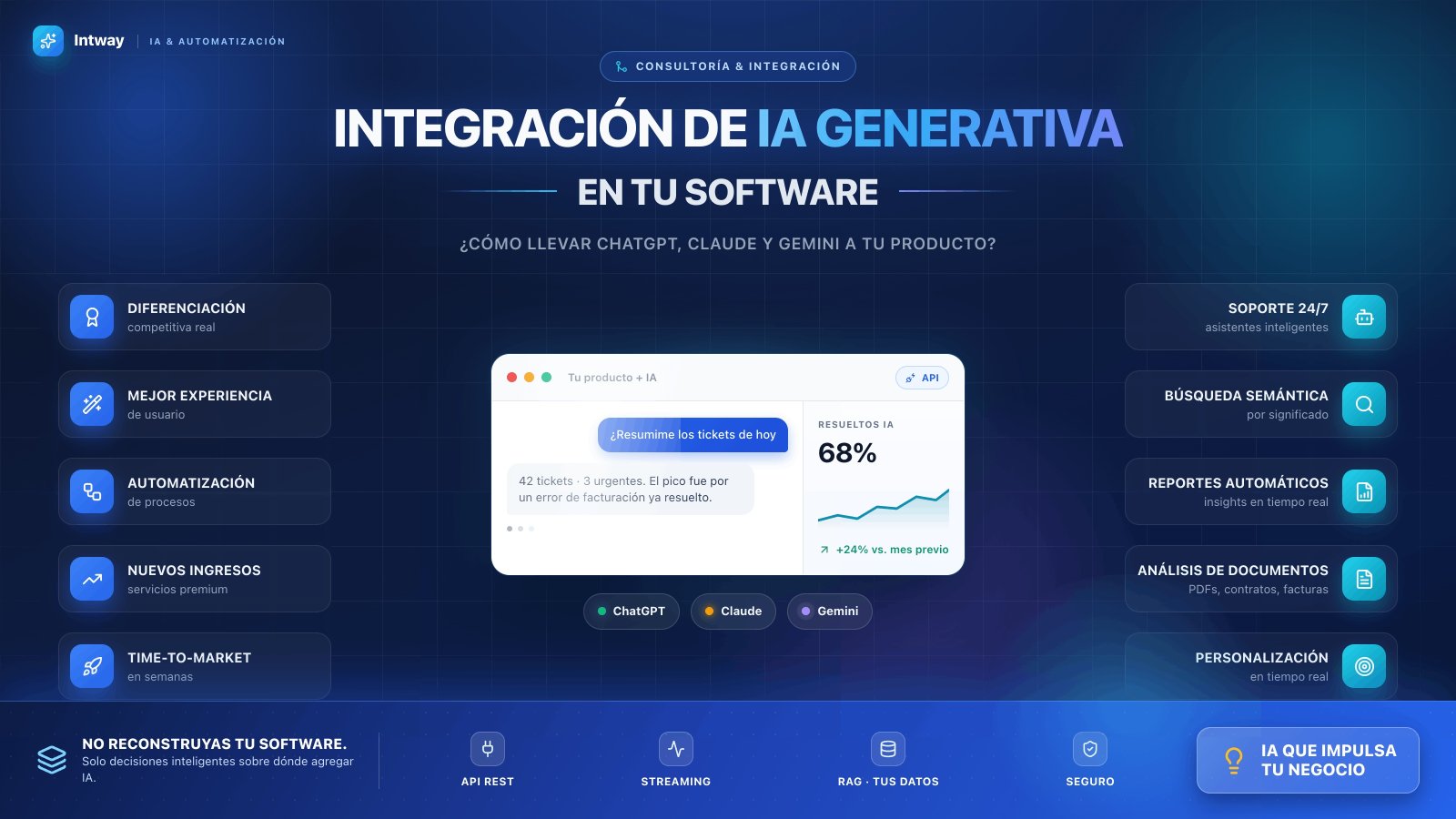
Generative AI is no longer an experiment—it's an immediate strategic opportunity. Companies everywhere are asking: How do I add AI to my existing systems without breaking what already works? Which model fits my industry? What's the cost and real return on investment?
The truth is you don't need to rebuild your software from scratch. With the right strategy, you can add generative AI capabilities to existing products, improve user experience, automate complex processes, and create new value streams in weeks.
What Is Generative AI?
Generative AI creates new content—text, code, images, analysis—based on natural language instructions (prompts). The most popular models are ChatGPT (OpenAI), Claude (Anthropic), and Gemini (Google), each with distinct strengths depending on the use case.
Unlike traditional AI, generative AI doesn't require training custom models for each task. You use accessible APIs that are already optimized and available instantly.
Why Integrate Generative AI Into Your Products?
- Competitive differentiation: Your competitors are already adding AI. The question is when you will.
- Enhanced user experience: Intelligent assistants, semantic search, automatic summaries, real-time responses.
- Process automation: Elimination of manual tasks, workflow optimization.
- New revenue streams: Premium AI-powered services, advanced analytics, personalized recommendations.
- Speed to market: Don't wait 18 months. With the right APIs, launch features in weeks.
Main Models: ChatGPT, Claude, and Gemini
ChatGPT (OpenAI)
The most recognized model with highest market adoption. Best for: customer support, content generation, data analysis, information synthesis. Moderate cost, stable API, extensive documentation.
Claude (Anthropic)
Stands out for security, deep reasoning, and long context (200K tokens). Ideal for: large document analysis, complex calculations, audit and compliance, reliable answers with fewer hallucinations. Preferred by teams prioritizing accuracy.
Gemini (Google)
Versatile model with excellent cost-performance ratio. Native integration with Google Workspace. Useful for: multimodal processing, image analysis, Google ecosystem integration, enterprise use cases.
Real-World Use Cases: Where to Add AI to Your Software
1. Customer Support Assistant
Intelligent chatbots that resolve common queries without human intervention. Reduces tickets, improves 24/7 availability.
2. Semantic Search and Information Retrieval
Instead of exact keyword matching, users find relevant answers by meaning. Applicable to databases, internal documentation, knowledge repositories.
3. Automatic Report Generation
Transform raw data into narrative reports, actionable insights, and executive summaries generated in real time.
4. Document Analysis
Automatically extract information from PDFs, contracts, invoices. Identify risky clauses, validate compliance, structure unstructured data.
5. Workflow Automation
Processes requiring multiple manual steps become automatic. Lead qualification, data validation, intelligent routing.
6. Real-Time Personalization
Dynamic recommendations, user-adapted content, predictive need identification.
7. Code Generation and Scripting
Assistants that generate code, fix bugs, auto-document. Accelerates internal development.
Integration Architecture: How to Connect AI to Your System
Three main patterns exist:
1. Simple REST API
Your backend makes HTTP calls to OpenAI, Anthropic, or Google APIs. Use cases: chatbots, text generation, point-in-time analysis. Fast implementation, ideal for MVP.
2. Response Streaming
Instead of waiting for complete response, users see text generating in real time. Better UX, reduces latency perception.
3. RAG (Retrieval Augmented Generation)
Combines generative AI with your database or proprietary documents. The model generates answers based on your specific information, not general training. Critical for:
- Internal documentation and knowledge bases
- Analysis of proprietary data
- Contextual and accurate responses
- Reduction of hallucinations
Recommended Technology Stack
Option 1 (Fast): Node.js/NestJS + OpenAI API + Vercel. Implementation in 2-3 weeks.
Option 2 (Robust): Node.js + PostgreSQL + Vector DB (Pinecone or Weaviate) + Claude API. Ideal for RAG and sensitive data.
Option 3 (Scalable): Microservices architecture with workers, queues (Bull/RabbitMQ), distributed caching. For millions of requests.
Costs and ROI
Generative AI costs are predictable and usage-based:
- ChatGPT: ~$0.02-0.10 per 1K tokens (model dependent)
- Claude: ~$0.003-0.03 per 1K tokens
- Gemini: ~$0.0005-0.015 per 1K tokens
Typical ROI includes: operational cost reduction (30-50%), increased capacity without hiring, improved customer retention, new products.
Companies integrating generative AI report payback in 3-6 months.
Common Challenges and How to Avoid Them
1. Hallucinations (Made-Up Answers)
Solution: Use RAG, validate against known data, implement fallback to traditional search.
2. High Latency and Costs
Solution: Cache frequent responses, use faster models (GPT-3.5 vs GPT-4), implement rate limiting.
3. Security and Privacy
Solution: Don't send sensitive data unencrypted, use private APIs, consider on-premise models if critical.
4. Inconsistent User Experience
Solution: Streaming for immediate feedback, graceful fallback, clear disclaimers about AI limitations.
Typical Integration Roadmap
Phase 1 (Weeks 1-2): Opportunity audit, model selection, API prototype.
Phase 2 (Weeks 3-4): Production implementation, monitoring, prompt optimization.
Phase 3 (Weeks 5-8): RAG if needed, fine-tuning, team training.
Phase 4 (Month 2+): Scalability, new use cases, iteration based on feedback.
Do You Need Consulting or Development?
Generative AI integration isn't generic. Every company has different architecture, data, and objectives. Solid consulting identifies:
- Where AI creates immediate value
- Which model fits your use case
- How to maintain security and privacy
- Realistic ROI estimation
- Required investment and timeline
Conclusion
Generative AI isn't the future—it's the present. Companies that wait to adopt will miss significant competitive opportunities. With the right strategy, integration is feasible, accessible, and profitable.
The change doesn't require rebuilding your software. It requires smart decisions on where to add AI, how to do it without breaking existing functionality, and how to measure real impact.
The window for technological differentiation is now. What's your next move?