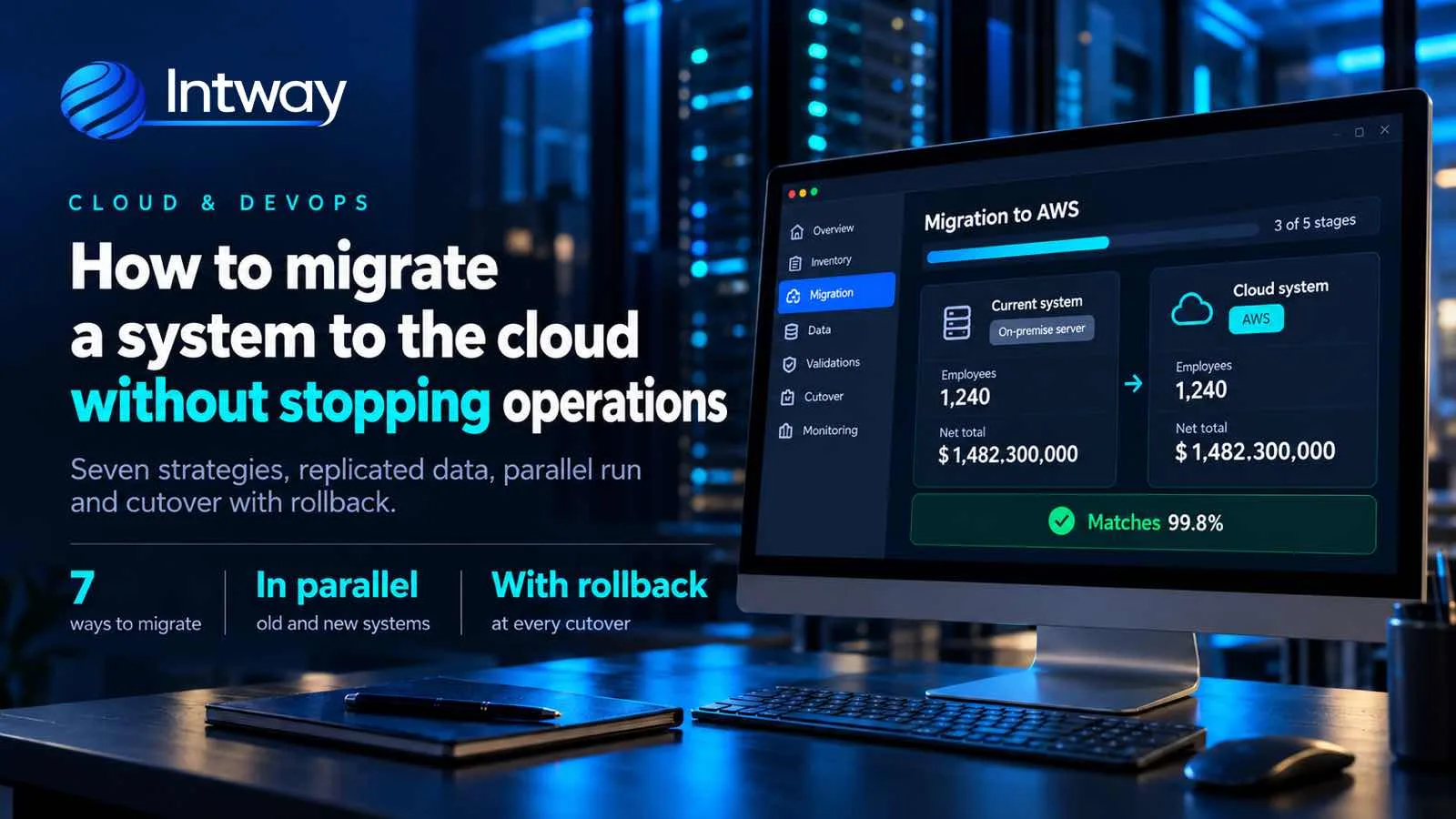
Moving a system to the cloud sounds simple: renting servers on AWS instead of keeping them in the office. In practice, the hard part isn't the cloud but the switchover day: data that can't be left half-moved, integrations with banks or accounting, and users who have to keep working on Monday. This guide explains how to migrate a system to the cloud in stages, without stopping operations, with a real case of a payroll platform.
What cloud migration is (and what it isn't)
Migrating to the cloud means moving a system —application, database, files and integrations— from your own servers to a provider such as Amazon Web Services (AWS), Azure or Google Cloud, where you pay for what you use and the infrastructure grows or shrinks with demand.
It isn't the same as modernizing. You can move an old system to the cloud as it is, and you can modernize a system without taking it out of the office. Often it pays to do both, but you should know which one you are doing in each part. If the system itself is what worries you, start with how to modernize a legacy system without disrupting operations.
The seven ways to migrate
AWS groups the options into seven strategies, known as the «7 Rs». You don't have to pick one for the whole system: each part can take a different path.
| Strategy | What it is | When it fits |
|---|---|---|
| Rehost | Move it as it is to cloud servers | You need to leave your own server quickly |
| Relocate | Move whole virtual machines, untouched | Everything is already virtualized |
| Replatform | Swap only some pieces for managed services | The database or the files are a burden |
| Refactor | Rebuild the architecture to use the cloud | The system doesn't scale or can't be changed |
| Repurchase | Replace it with a SaaS product | It's a standard process with no rules of your own |
| Retain | Leave it where it is, for now | There's no reason yet, or there's a constraint |
| Retire | Turn it off | Nobody uses it anymore |
Rehosting is the fastest, but it carries the problems into the cloud and usually costs more than expected. Refactoring delivers the most value, but takes longer. Combining them is the norm.
Before moving anything: inventory and dependencies
Most migrations that fail don't fail in the cloud; they fail because of something nobody knew existed: a nightly job that drops a file for the bank, a spreadsheet that reads straight from the database, a user who connects from a fixed IP. That is why the first step is an inventory of everything the system does and everything that connects to it.
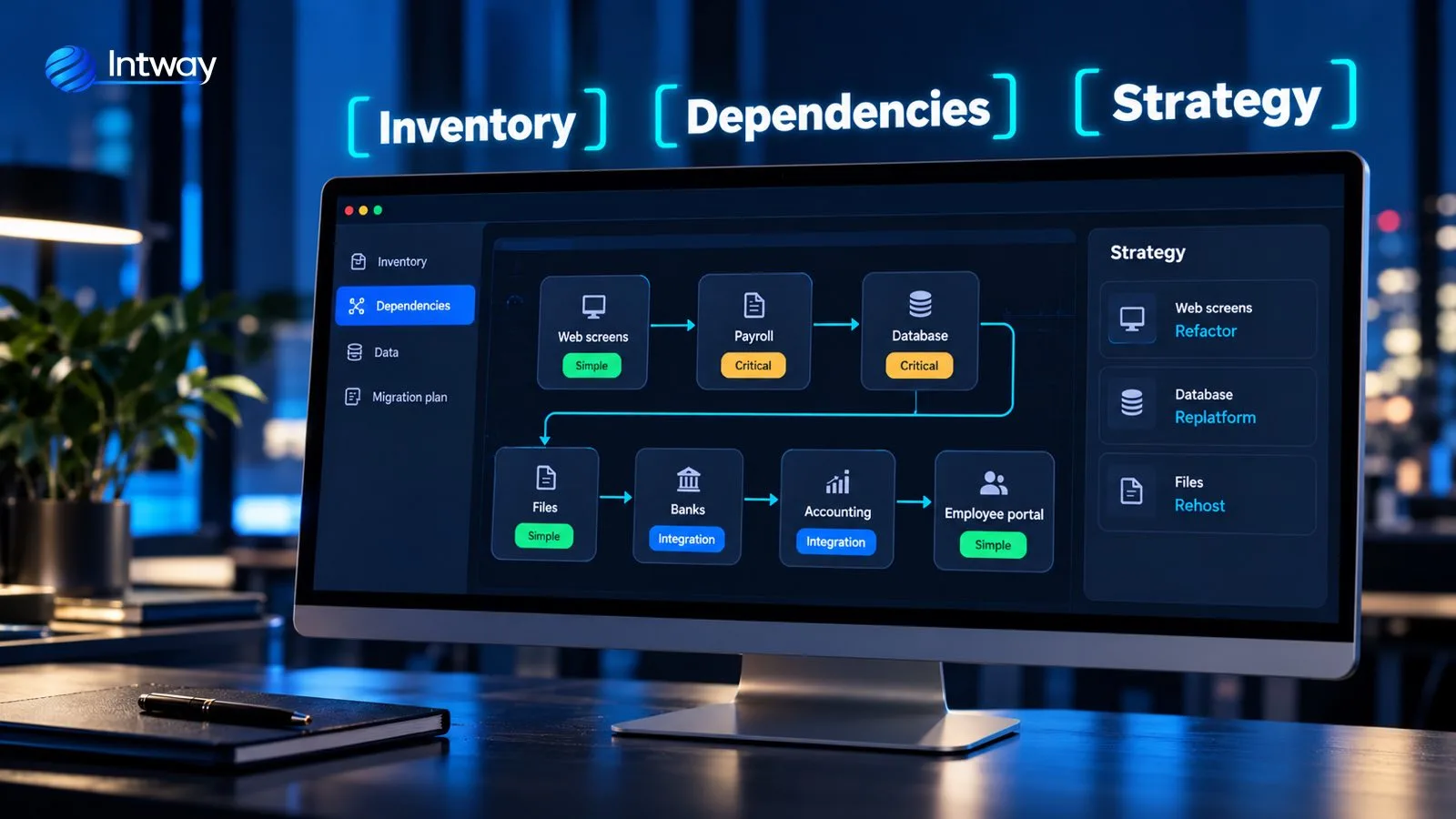
With that map you decide the strategy for each part and the order: first whatever has few dependencies, the critical pieces last.
How to migrate without stopping operations: five steps
1. Build the cloud foundation as code
Before moving the first record, you prepare the ground: accounts, networks, permissions, backups and monitoring. Everything is defined as infrastructure as code, in versioned files. That way every environment —testing, staging, production— is identical, and if something breaks it can be rebuilt in minutes.
2. Migrate in parts, not all at once
You pick a small first group: a module, a branch, a country. You migrate it, stabilize it and only then move on to the next one. Every stage can be reversed and the risk is never the whole business.
3. Data: replicate, don't copy once
Copying the database on a Friday night and hoping the weekend is enough is the recipe for a long outage. The safe way is to replicate: the new database is loaded with all the history and then continuously receives every change made in the old one. On cutover day only the last changes are left, and that takes minutes.
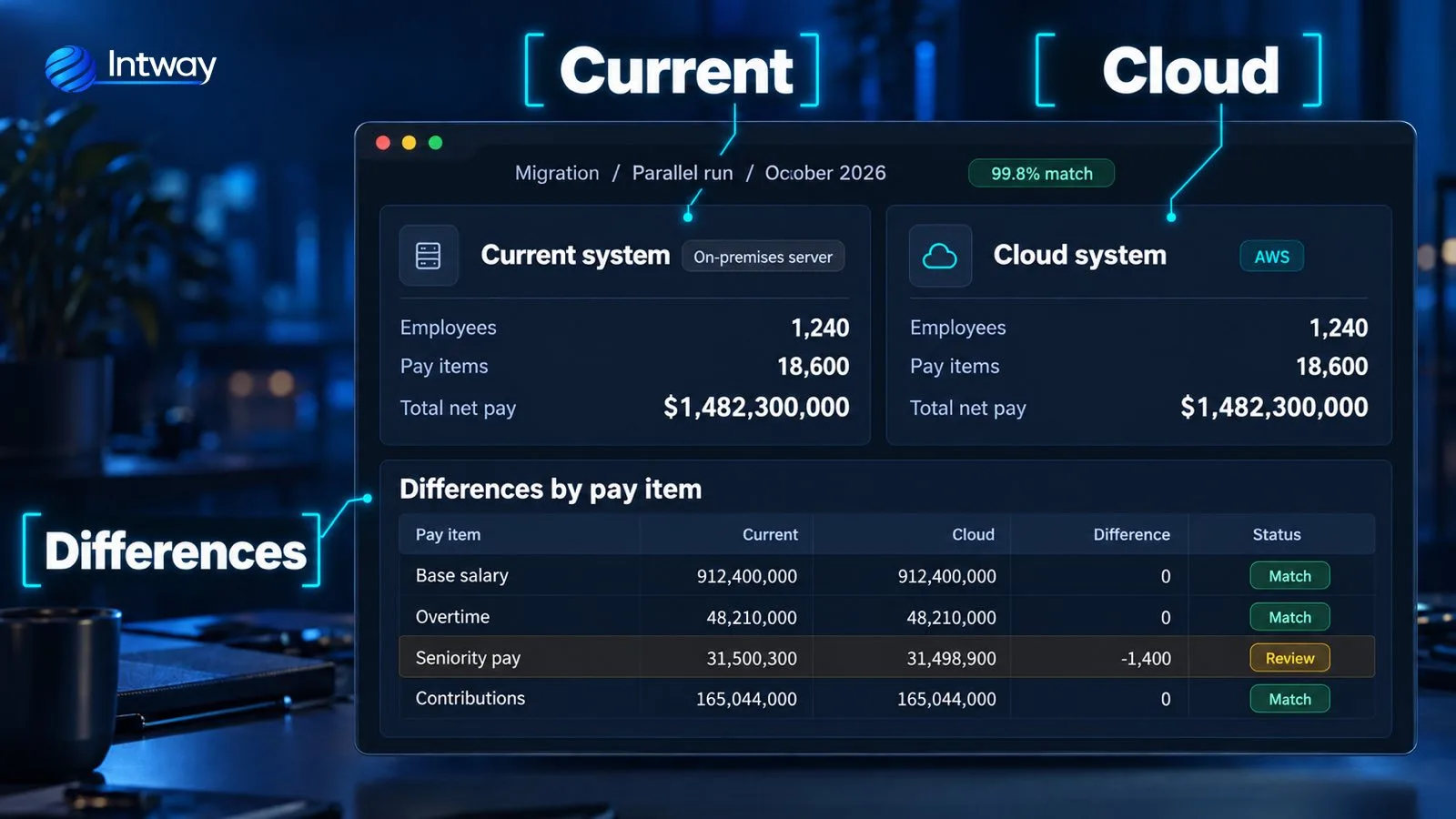
4. Run both systems in parallel
Before switching, the new system processes the same data as the old one and the results are compared. If they match, you move forward. If not, you find the difference before a customer or an employee sees it.
5. Cut over with a way back
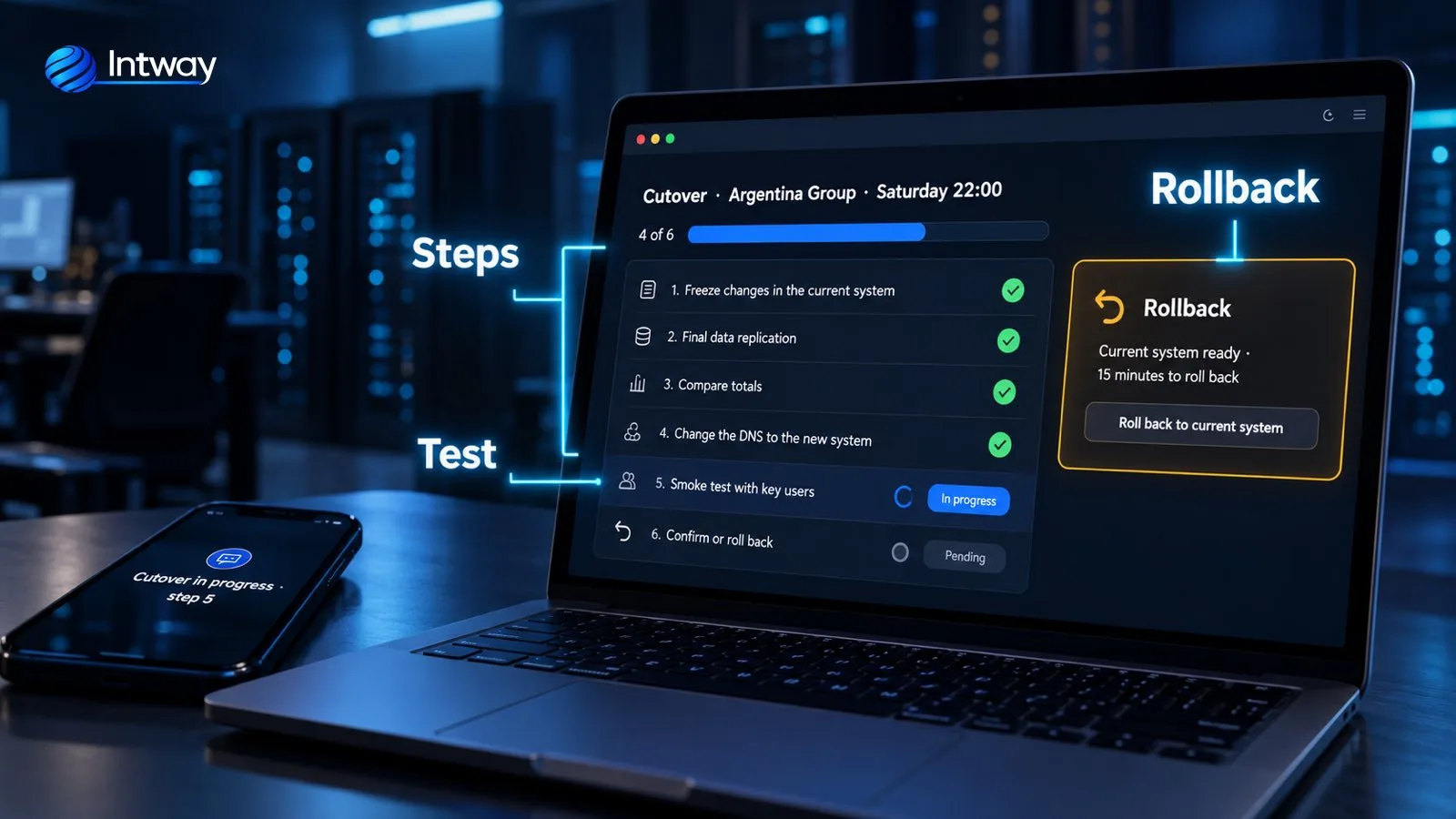
The cutover happens in an agreed window, with a written list of steps rehearsed beforehand in staging. The old system stays ready to switch back during the first days. If the test with key users fails, you go back in minutes and try again another day, no drama.
The real case: a payroll engine moved to AWS
In the case of a payroll platform for Latin America, the system had its calculation engine in Visual Basic, screens in ASP Classic and only worked on Internet Explorer. Payroll closings have dates that can't move, so stopping was not an option.
- By capability and by country. The migration was organized in stages: each country was enabled only when its results matched.
- Parallel runs with real data. Using anonymized historical payrolls, a test suite ran the same data through the old and the new engine and compared them item by item.
- Coexistence. The new screens initially lived alongside old functions through a compatibility layer, and a contingency path was kept during the first closings.
- Infrastructure as code and automated deployments from day one.
The platform ended up on AWS with the web behind CloudFront and AWS WAF, the APIs in NestJS, the calculation engine in Go scaling during closing peaks, Amazon SQS queues for long jobs, PostgreSQL for data and S3 for documents. Splitting the pieces this way is what lets each one grow on its own; we cover it in microservices.
Costs: what nobody looks at until the bill arrives
The cloud can be cheaper or much more expensive than your own server. The difference lies in these habits:
- Right-size each server to its real usage, measured after the migration, not to the old machine's size.
- Turn off what isn't used: test environments don't need to run at night or on weekends.
- Commit to usage (reserved instances or Savings Plans on AWS) only for what is already stable.
- Tag every resource by system and by department, so you know who spends what.
- Budget alerts from day one, to learn about an overrun within hours, not at month end.
Security: what the provider does and what is on you
The provider looks after the buildings, the hardware and the base network. What gets configured on top is the company's responsibility: who has access to what, data encryption, backups, keys and the log of what happens. If the system handles personal data, you also need to check which country it is stored in and what your data protection law requires.
Common mistakes
- Migrating everything in a single weekend. If something fails, everything fails.
- Skipping the inventory. The integration nobody wrote down shows up on Monday.
- Copying the database once instead of replicating it: it lengthens the cutover and forces a stop.
- Cutting over without a tested way back. A contingency plan that was never rehearsed isn't a plan.
- Moving servers at the same size and leaving them on all the time: the bill will surprise you.
- Configuring by hand in the console: later nobody knows how it was built or can repeat it.
Checklist before you start
- List every part of the system and everything that connects to it.
- Choose the strategy for each part: rehost, replatform, refactor or retire.
- Define the small first group to migrate and how you'll measure that it went well.
- Build the cloud foundation as code, with backups and monitoring.
- Set up data replication and the parallel run.
- Write the cutover step list, with the way back, and rehearse it in staging.
- Turn on budget alerts and tags before starting the first server.
How Intway can help
We migrate systems to the cloud in stages: we survey what exists, build the infrastructure as code, set up replication and parallel runs, and stay with you through every cutover. See the full case of the payroll engine moved to AWS, how we work as a software factory and development team augmentation or how we approach custom software for small and medium businesses.