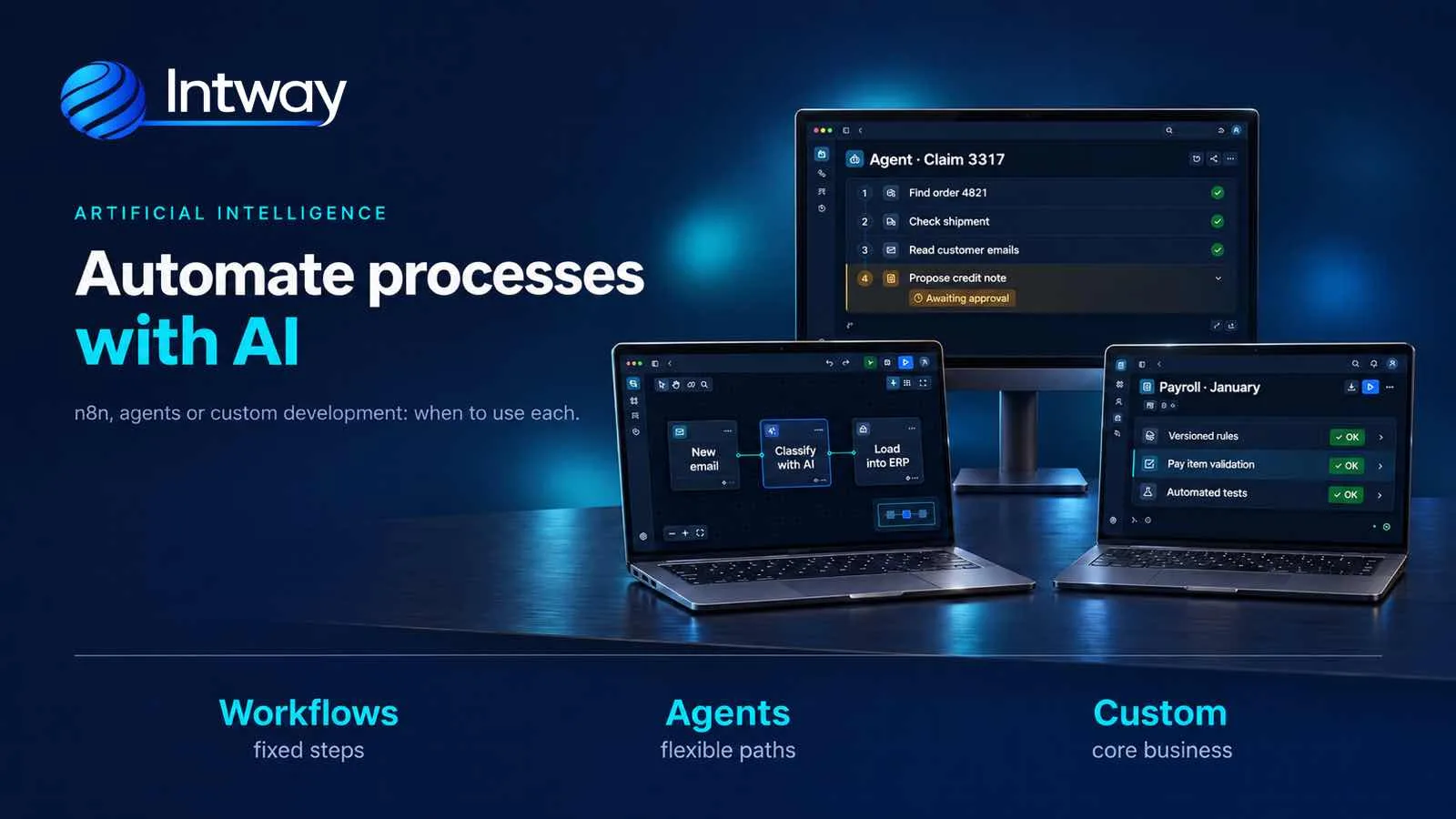
When a company wants to automate processes with artificial intelligence, three paths tend to get mixed up: a workflow tool like n8n, an AI agent or custom development. They don't compete with each other: they solve different parts of the problem, and the best design often combines them. This guide explains what each one is, when it fits and when it doesn't.
Before choosing the tool, three questions about the process
- Can the paths be drawn in advance? If the process can be drawn beforehand, even with conditions and detours (an email arrives, the attachment is read, if a field is missing it goes to review, otherwise it's entered into the system), a workflow is enough. If each case requires deciding what to look at and in what order, that's where an agent comes in.
- Does content that varies need to be interpreted? Extracting the text of a PDF or reading a field that is always in the same place needs no AI. AI is needed when you have to understand what it says: a complaint written any which way, an invoice each supplier lays out differently, a voice note. A clear rule (if the amount exceeds a given value, ask for approval) doesn't need it.
- What happens if it gets it wrong? Misclassifying an email is not the same as issuing an invoice or paying the wrong supplier. The costlier the mistake, the more control you need.
Three ways to automate
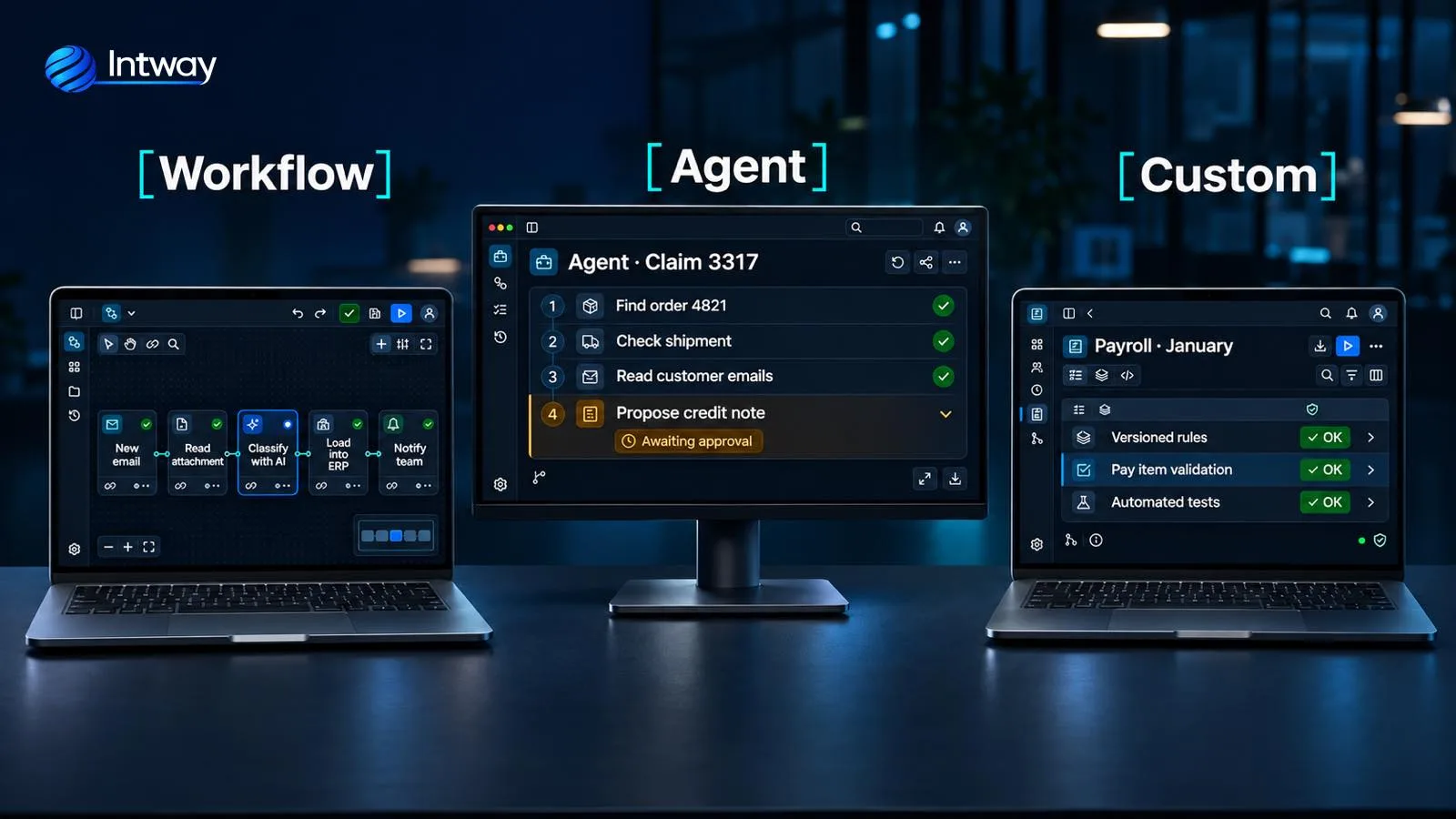
- Automation workflow: a visual tool (n8n, Make, Zapier, Power Automate) where you build a chain of steps: a trigger and a series of actions across applications, with conditions and alternative paths if needed. One of those steps can be a call to an AI model, for example to classify an email, but a person defines the possible paths.
- AI agent: the model decides which steps to take and which tools to use to reach a goal. Anthropic explains it in its guide Building effective agents: in a workflow, the model follows predefined paths; in an agent, it directs its own process.
- Custom development: the automation lives in your system's code, with your rules, your permissions, automated tests and version control. It may or may not use AI.
n8n: what it is and when it fits
n8n is a tool for building automation workflows by connecting nodes on a canvas. It comes with hundreds of integrations with well-known applications, a node to call any API and AI nodes to connect models from OpenAI, Anthropic or Google, with memory, tools and vector databases. Unlike Zapier or Make, it can be installed on your own servers.
Three things worth knowing before choosing it:
- The license. n8n uses the Sustainable Use License. According to its FAQ, you can use it for free for your company's processes, charge your customers for building and maintaining workflows, and use it as the internal engine of your own product, as long as your customers don't get into the workflow editor. What it doesn't allow without an Enterprise license is letting outside users build or configure their own workflows through your product, or offering n8n as a service or under another brand.
- The free edition. The Community Edition, installed on your servers, is free, but it doesn't include SAML or LDAP sign-in, Git version control, test and production environment management, external secrets or projects with shared permissions.
- The cloud cost. n8n's cloud plans are billed by executions per month: each production run of a workflow counts, however many steps it has. Test runs from the editor, sub-workflows and error workflows don't add to the count.
It fits connecting applications that already have an API, internal processes with few steps, testing an idea quickly, and when someone on the team will maintain it. It doesn't fit when the logic grows into a workflow of dozens of nodes nobody dares to touch, when every change needs automated tests and review before going live, or when the process moves money and must always give the same result.
AI agents: when yes and when not yet
An agent is useful when the path can't be drawn in advance. Take a complaint: to answer it you have to look up the order, check the shipment, read the customer's emails and only then propose a solution. Each complaint needs different steps.
- Yes: cases where the model has to decide what to investigate, which tools to use and when to stop: a complaint that spans orders, shipments and emails, or a question that, depending on what is asked, needs data from different systems. Classifying a request or writing a draft, on the other hand, takes a single model call inside a workflow.
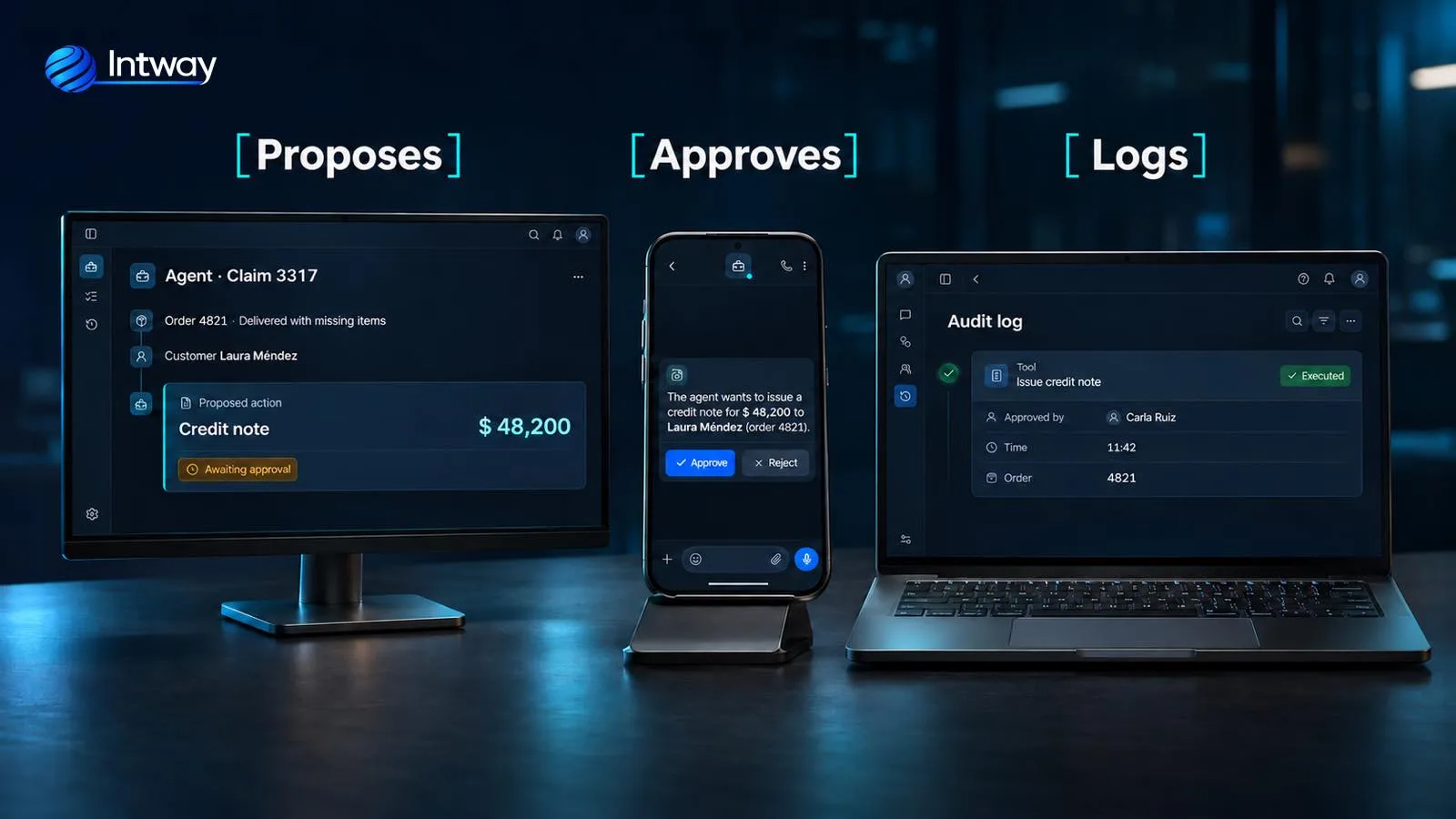
- Not yet: irreversible actions without a person approving them first (paying, issuing an invoice, closing a customer account), processes with fixed rules where a workflow does the same thing cheaper and more predictably, and tasks where there is no way to measure whether the result was right.
There are two costs you don't see in a demo. An agent usually needs several rounds with the model and the tools before it finishes, so it can be slower and more expensive than a fixed workflow. And errors compound: a value misread in the first step drags all the others along. That's why the same Anthropic guide recommends starting with the simplest solution and adding complexity only when needed.
When an agent does make sense, we build it with three controls: each tool it uses has only the permissions it needs, sensitive actions wait for a person's approval and every step is logged. n8n, for example, lets you require an approval before the agent uses certain tools.
Custom development: when automation is part of the system
Some processes aren't a standalone task but the core of the business: running payroll, invoicing, calculating commissions, allocating stock. There, automation has to live inside the system, with versioned rules, automated tests, per-user permissions and a log of every change. When we replaced a Visual Basic payroll engine with a cloud platform, verifiable rules prevailed: we don't use AI where a rule is safer.
The same goes for anyone looking for a management system with AI: AI adds value where there is content to interpret (understanding an invoice, classifying a complaint, answering a question with the company's data using RAG), but accounts, balances and permissions stay in rules that can be tested.
Quick comparison
| Criterion | Workflow (n8n) | AI agent | Custom development |
|---|---|---|---|
| Steps | Defined by a person, with their conditions | Decided by the model | Depends on the design: defined in code or directed by a model |
| Change control | Limited in the free edition | Depends on how it's built | Git, review and tests |
| Cost grows with | Executions (in the cloud) | Model calls | The development scope |
| Main risk | Huge workflows with no owner | Compounding errors | Taking long to get the first result |
The usual answer: combine them
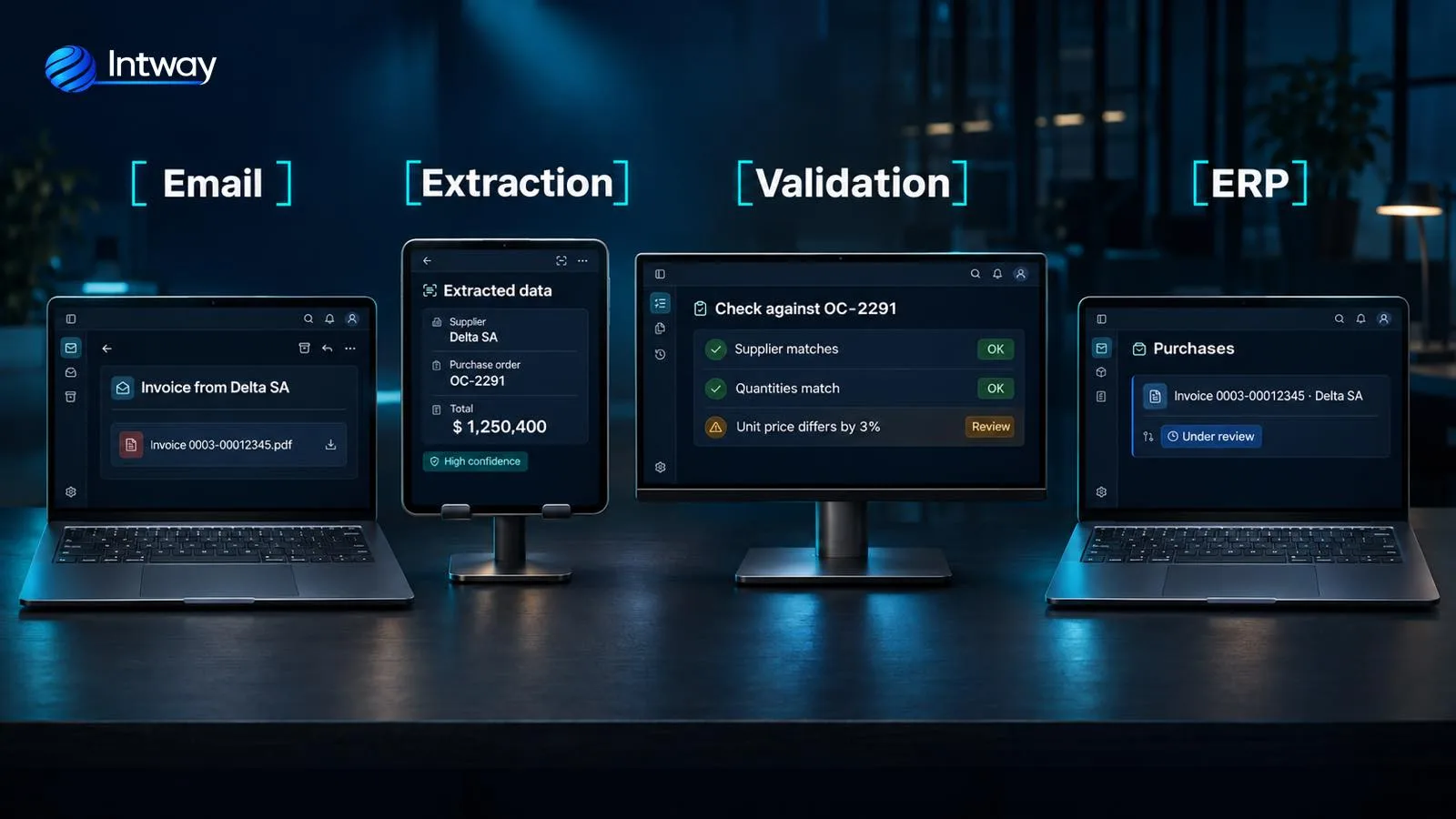
An example with supplier invoices, which arrive by email and someone enters by hand:
- The email: a workflow picks up every invoice that arrives and stores the PDF.
- Extraction: the text is pulled from the PDF and AI interprets supplier, purchase order, items and total, which each supplier places differently, with a confidence level.
- Validation: the system checks it against the purchase order with fixed rules. What matches moves on; what doesn't goes to a person with the difference highlighted.
- The ERP: the invoice is recorded through the system's API, without duplicates, leaving a trail of what was read and who approved it.
AI interprets what changes from one supplier to another; rules decide; and a person looks at the exceptions. It is the same logic we use in the WhatsApp Business integration: menus for the frequent, AI for the open-ended and always a way out to a person.
Common mistakes
- Starting with the tool. Choosing n8n or an agent before understanding the process.
- Using an agent where a workflow is enough. Usually more expensive, slower and less predictable.
- Letting AI write straight into the system. Without validation or approval, a reading error ends up in the ERP.
- Workflows with no owner. An automation built by someone who has left and nobody knows what it does.
- Not checking the license. Letting your customers build their own n8n workflows through your product without the right license.
- Not measuring. Without knowing how long it took and how often it failed before, you can't show it improved.
How to choose, as a list
- Write the process step by step, with who does it today and how long it takes.
- Mark the steps that need to interpret content that varies from case to case: that's where AI goes.
- Mark the fixed steps that connect applications: a workflow is enough there.
- Mark the steps that move money or sensitive data: tested rules and a person's approval go there.
- If a case needs to decide what to look at and in what order, consider an agent, with minimum permissions and logging.
- Define how you will measure the result before you start.
How Intway can help
We do AI process automation: we map the process, choose which part goes in a workflow, which part needs AI or an agent and which part has to live in your system, and connect it to your ERP or CRM. If you want to implement AI agents, we start with a narrow, measurable case. When automation is part of the core of the business, we build it as custom software development. And if you want to see how AI models are integrated into a system, there's our guide to generative AI consulting and integration.