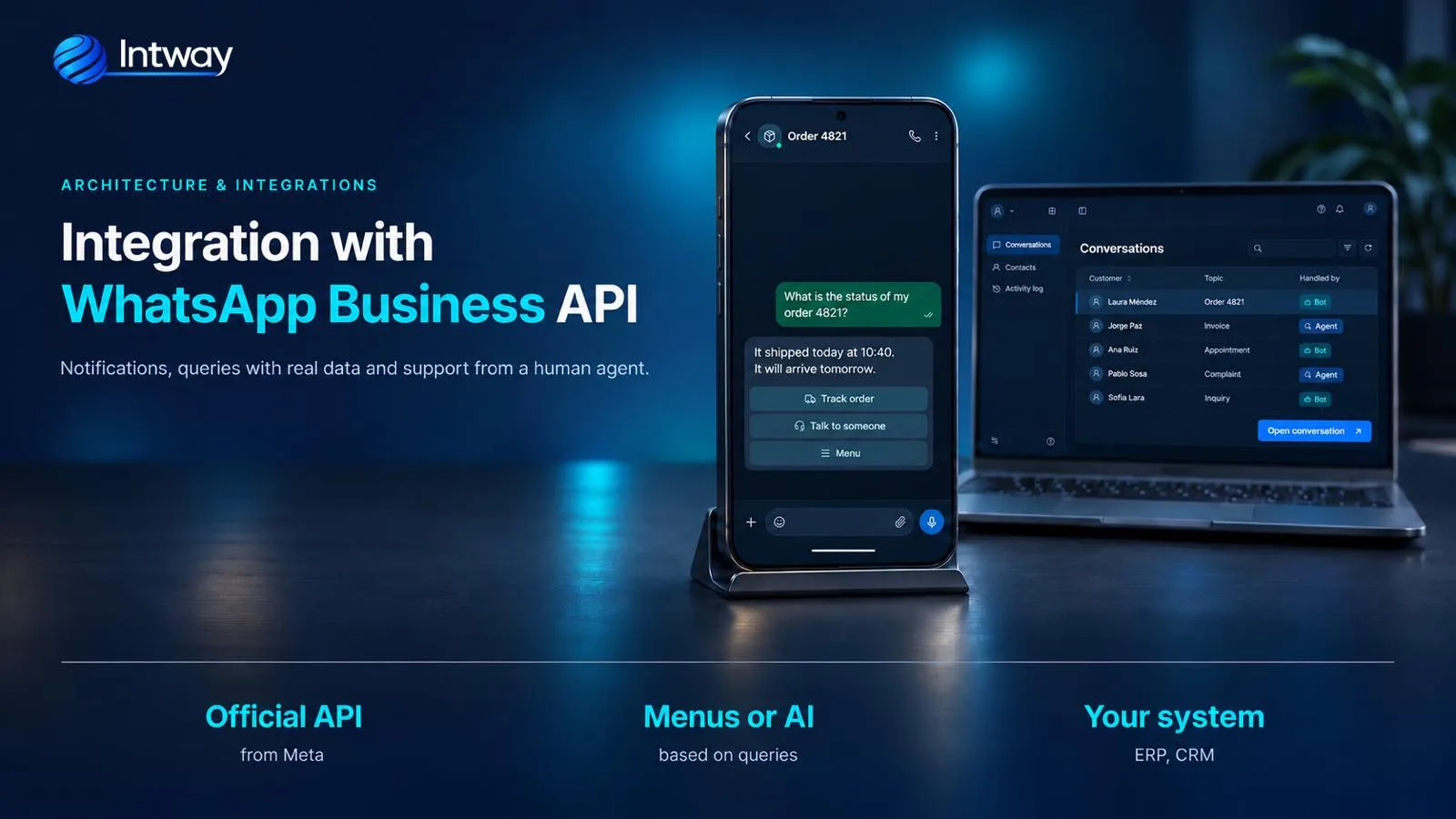
WhatsApp is where your customers and employees already write. The problem starts when, on the other side, a person with a phone copies data into the system: the order status, the appointment, the ticket number. At Intway we integrate WhatsApp Business with companies' systems using Meta's official API, so notifications go out on their own, questions are answered with real data and, when needed, a person takes over the conversation with the full context. Here is how we do it.
WhatsApp Business app, official API or unofficial versions
- The WhatsApp Business app: the one on the phone. It suits a shop that handles messages manually: catalogue, quick replies, labels. On its own it doesn't connect to your system; in some cases Meta lets you keep using it on the same number that is connected to the API.
- The official API (WhatsApp Business Platform): the one systems use. Meta offers it as the Cloud API; it connects with a number verified in Meta's business manager and needs no intermediary for the technical integration.
- Unofficial versions: programs that emulate WhatsApp Web or modified apps. WhatsApp says they violate its terms and that the account may be blocked temporarily or permanently. For a company, losing the number its customers know is not a risk worth taking. The official API avoids that problem, but it is still subject to Meta's policies: a number that sends unwanted messages can also be limited or suspended.
What you can do by connecting WhatsApp to your systems
- Automatic notifications: order shipped, appointment confirmed, invoice available, upcoming due date, ticket resolved.
- Questions answered with real data: an order status, a balance, a ticket, pulled from the system on the spot, without anyone looking them up.
- Menu-guided support: buttons and lists that lead to the right answer or action.
- Input from the chat: a complaint with a photo, a receipt, an appointment request, going straight into the system.
- Handover to a person: with the conversation and the customer's data in view, without asking again.
- Surveys: satisfaction measured and stored when each case closes.
The Meta rules that shape the design
Before drawing a single screen, five Meta rules organise the whole project:
- The 24-hour window. When someone writes to you, a 24-hour window opens in which you can reply freely; each new message from them renews it. Outside that window, only Meta-approved templates can be sent.
- Templates have a category: marketing, utility (order, appointment and invoice notifications) or authentication (codes). A shipping notice is utility; a promotion is marketing. They are designed and approved before going live.
- You need the person's permission. To send them notifications, they must have agreed to receive them on WhatsApp, and that consent is recorded. If they ask to stop, it is respected.
- Buttons and lists have limits: up to 3 reply buttons per message, 20 characters each, and lists of up to 10 options. A menu that doesn't fit has to be split into steps.
- You pay per message. Since July 2025 Meta charges for each delivered message that carries a rate, by category and the recipient's country, and since 1 October 2026 each number gets 1,000 free service messages a month. Prices change: messaging costs are calculated with Meta's current rate card and the company pays Meta directly. This is separate from building the integration.
How we build it
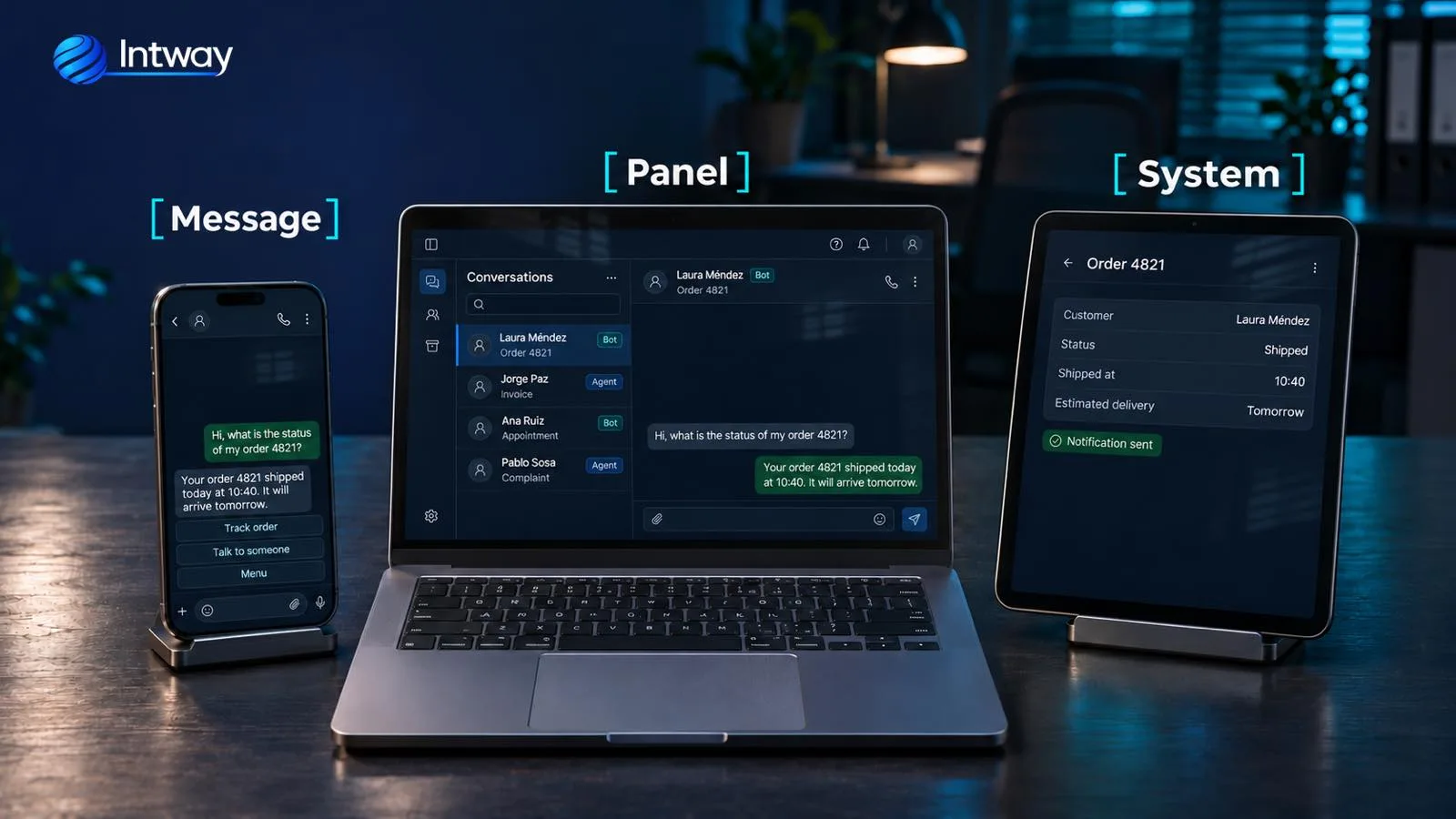
The architecture we use separates the channel from everything else, so WhatsApp, the conversation logic and your systems don't depend on each other:
- The channel: Meta's Cloud API sends every incoming message by webhook, and the system sends replies, buttons and files through the messages API.
- Our own orchestrator, in NestJS with PostgreSQL: it receives the message, recognises the person by phone number, stores where they are in the conversation and decides what to do.
- The conversation engine: step-by-step menus, artificial intelligence or a mix (when each makes sense is below).
- Connectors to your systems: the ERP, the CRM, the help desk, the appointment calendar. We use the API each system already has, without modifying it, as in the case of digital channels on top of a banking core.
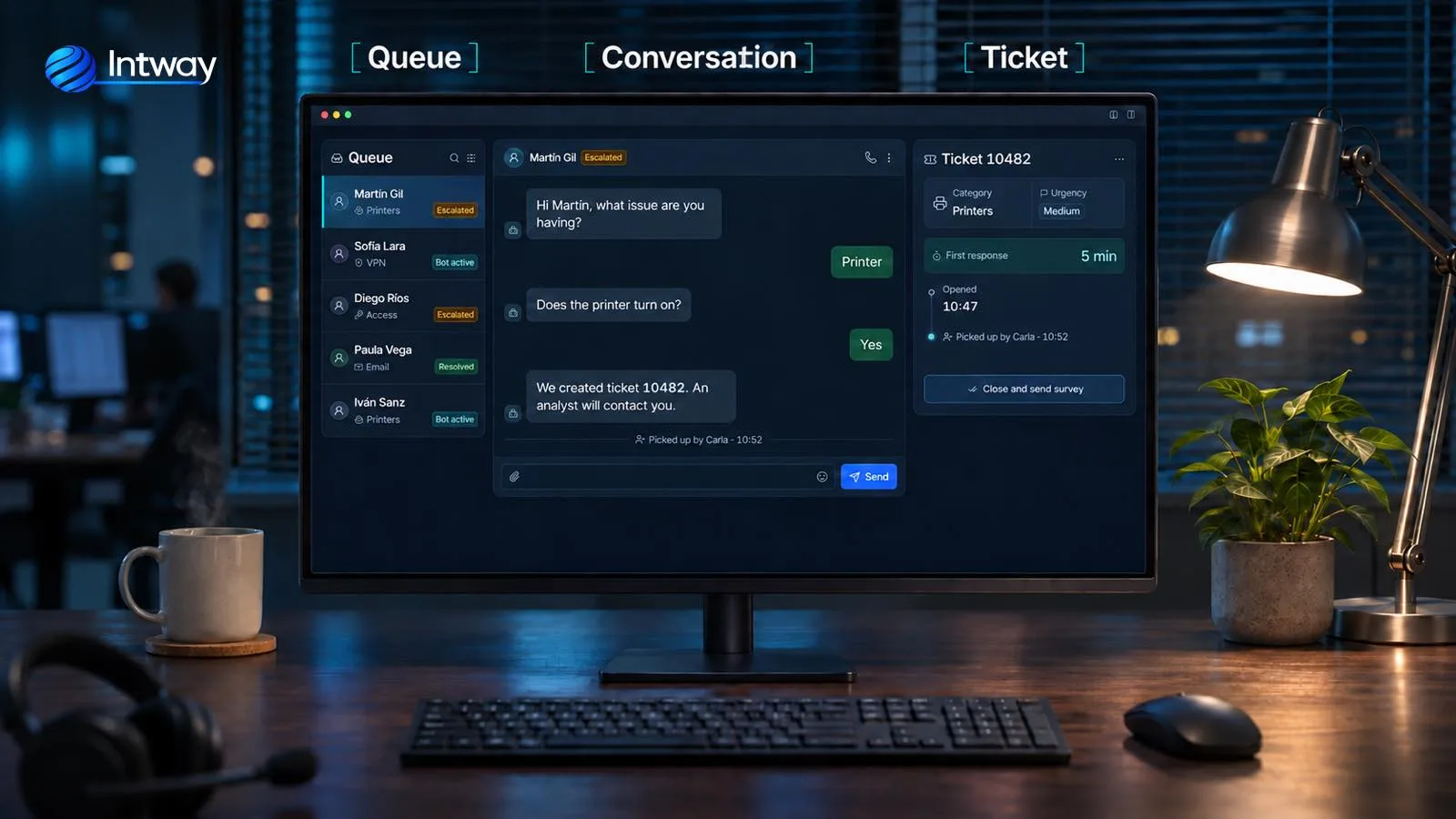
- An operator panel to take over handed-off conversations, and an admin panel so your team can change menus and answers without coding.
- Metrics: how many questions are solved on their own, response times, reasons for contact and satisfaction.
It is the same way of working in independent pieces we describe in microservices: if another channel is added tomorrow, a connector is added and everything else stays the same.
An example: the IT help desk on WhatsApp
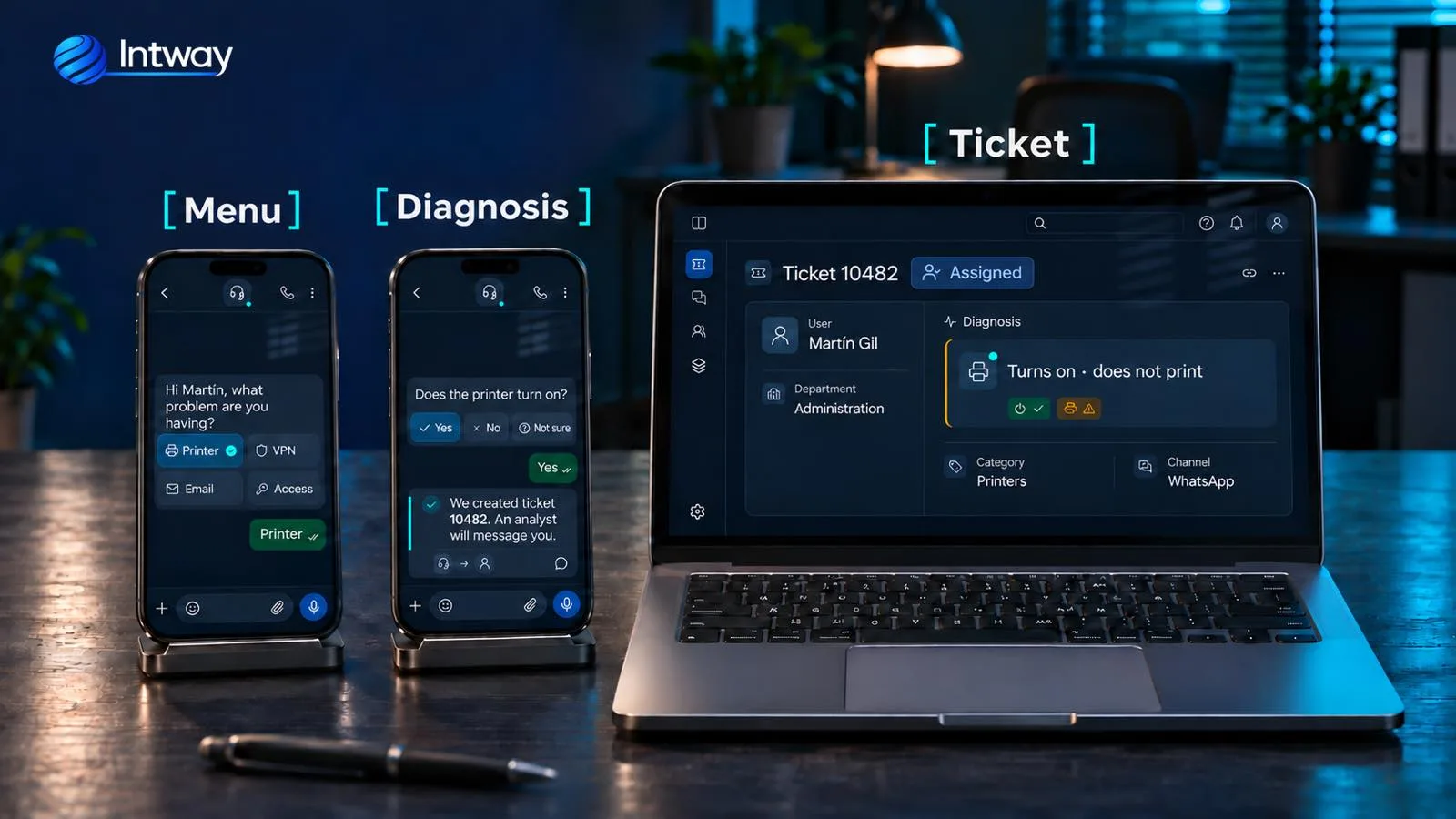
One of the projects we designed —a proposal, not a system in operation— is IT support for a company with several sites, connected to GLPI, its help desk. The idea: an employee reports a problem on WhatsApp the way they would text a colleague, and the ticket arrives complete.
- Recognition by number: the phone number is looked up among GLPI users; that gives the name, department, site and assigned computer. If the number isn't on file, typing an email isn't enough: the person's identity has to be validated before linking it.
- Diagnosis by menus: the employee picks the topic (printer, VPN, email, access) and answers closed questions with buttons. The goal is for frequent issues to be solved there, with an answer prepared by the IT team.
- Complete ticket: if it isn't solved, the ticket is created in GLPI through its standard API, with category, urgency, diagnosis and the screenshots sent, and the employee gets the number on WhatsApp.
- An analyst takes over the conversation from the panel and keeps writing in the same chat. On closing, the satisfaction survey goes out.
- Everything manageable: the IT team maintains menus and answers from its panel, with Microsoft 365 sign-in, and the platform runs on the company's own servers.
Menus or artificial intelligence?
In that same project, the first version of the proposal included artificial intelligence: answers drawn from internal manuals, voice-note transcription and reading screenshots. The company preferred to stay with menus, and for its case that made sense. How we think about it:
- Menus: each option leads to an answer or action defined by the company. They are predictable, have no AI usage cost and the team controls exactly what is said. They suit repetitive, well-known questions.
- Artificial intelligence: it understands free text and voice notes, and can answer with information from your documents using RAG. It suits very varied questions or information buried in long manuals.
- Combined: menus for the frequent, AI for the open-ended and, always, a way out to a person.
Security and data
- API keys and each system's credentials go in a secrets manager, never in the code.
- Each connector uses an account with minimum permissions.
- Encrypted communication and encrypted data in the database; how long messages are kept is the company's call.
- The phone number is used to recognise the person; before showing sensitive data or acting on their behalf, their identity is validated, for example with the company's sign-in.
- A log of every action: who saw or changed what, and when.
Common mistakes
- Using an unofficial version to save money. The day the number is blocked, the channel is gone.
- A bot with no way out to a person. Nothing frustrates more than a menu that goes round in circles.
- Asking again for what you already know. If they write from a registered number, there is no need to ask their name or department.
- Sending notifications without permission. Having the number isn't enough: the person must have agreed and be able to opt out.
- Sending promotions as if they were notifications. Meta checks categories and people block what they didn't ask for.
- Long menus. More than three buttons or ten options don't fit: build it in steps.
- Not measuring. Without knowing what gets solved on its own and what doesn't, the channel doesn't improve.
Checklist to get started
- Choose the number the channel will use and verify it in Meta's business manager.
- List the ten most frequent reasons for contact and which can be solved on their own.
- Decide which notifications you want to send, draft their templates and how you will request and record each person's consent, and their opt-out.
- Check that your systems have an API, or that one can be added.
- Decide who takes handed-off conversations and during which hours.
- Estimate message costs with Meta's current rate card.
How Intway can help
We build the full integration with the official WhatsApp Business API: the orchestrator, the connectors to your ERP, CRM or help desk, the panels and the metrics, as part of our custom software development. If you want to add artificial intelligence, we do it within AI process automation; if you sell online, it connects to your e-commerce integrations to notify every order; and if your customers already have a self-service portal, WhatsApp becomes another door to the same data.