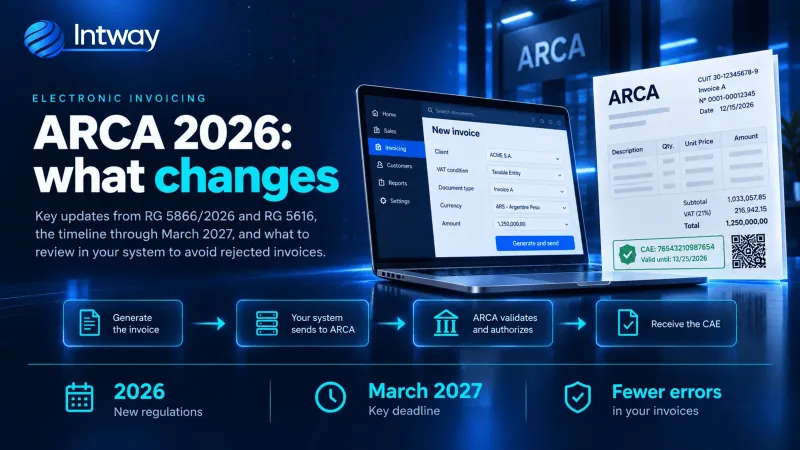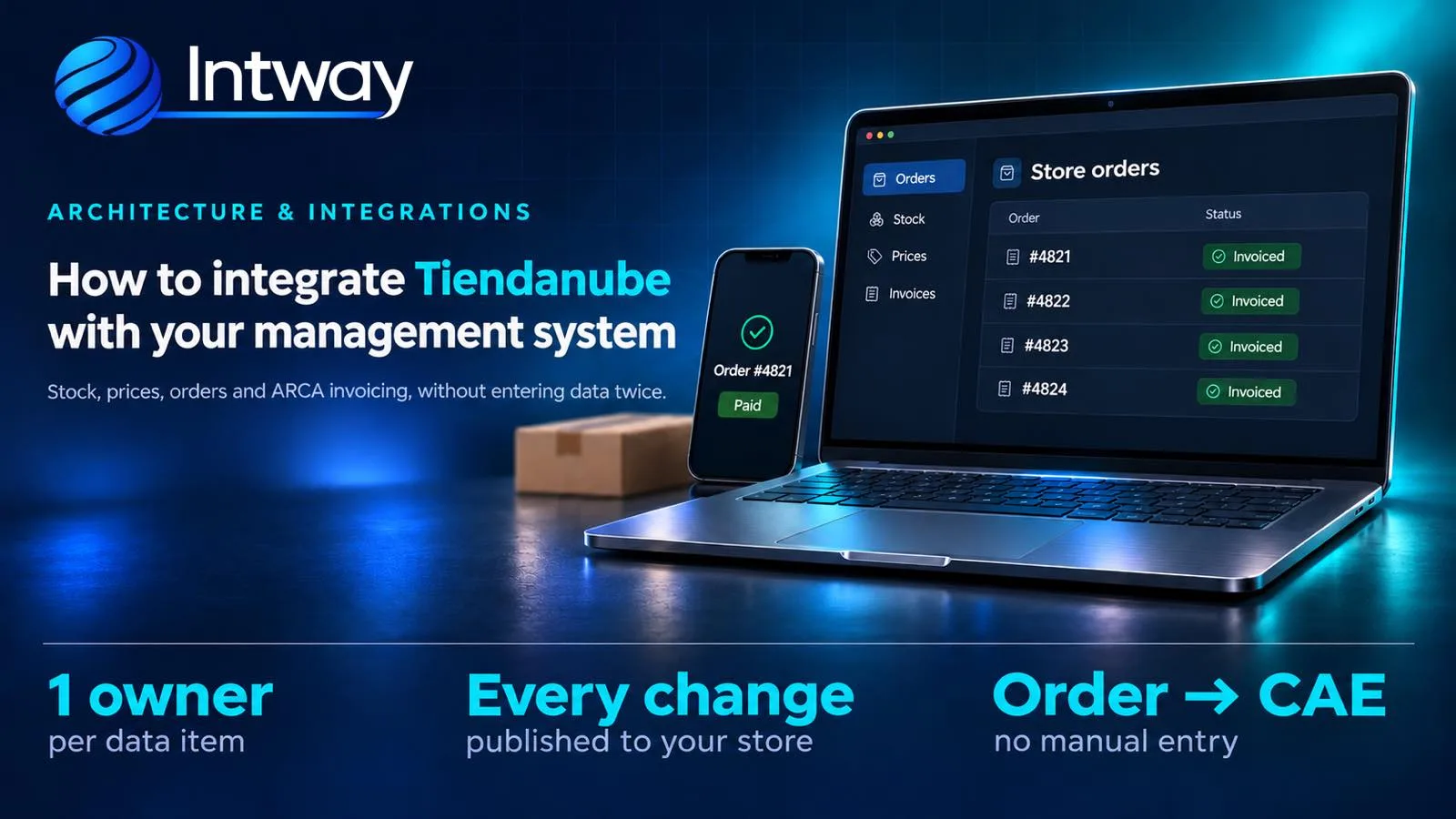
A Tiendanube store starts simple: you load the products, you sell, and someone copies the orders into the management system. As sales grow, that manual work starts to cost: products sold out of stock, outdated prices in the store, orders invoiced late or twice. In the busiest weeks of the year —November sales and the holidays— the problem multiplies. This guide explains how to integrate Tiendanube with your management system: which data is connected and in which direction, how to avoid overselling, and how the ARCA invoice is issued without entering anything twice. Tiendanube is an e-commerce platform widely used in Argentina, known as Nuvemshop in Brazil.
What gets integrated: one owner for each piece of data
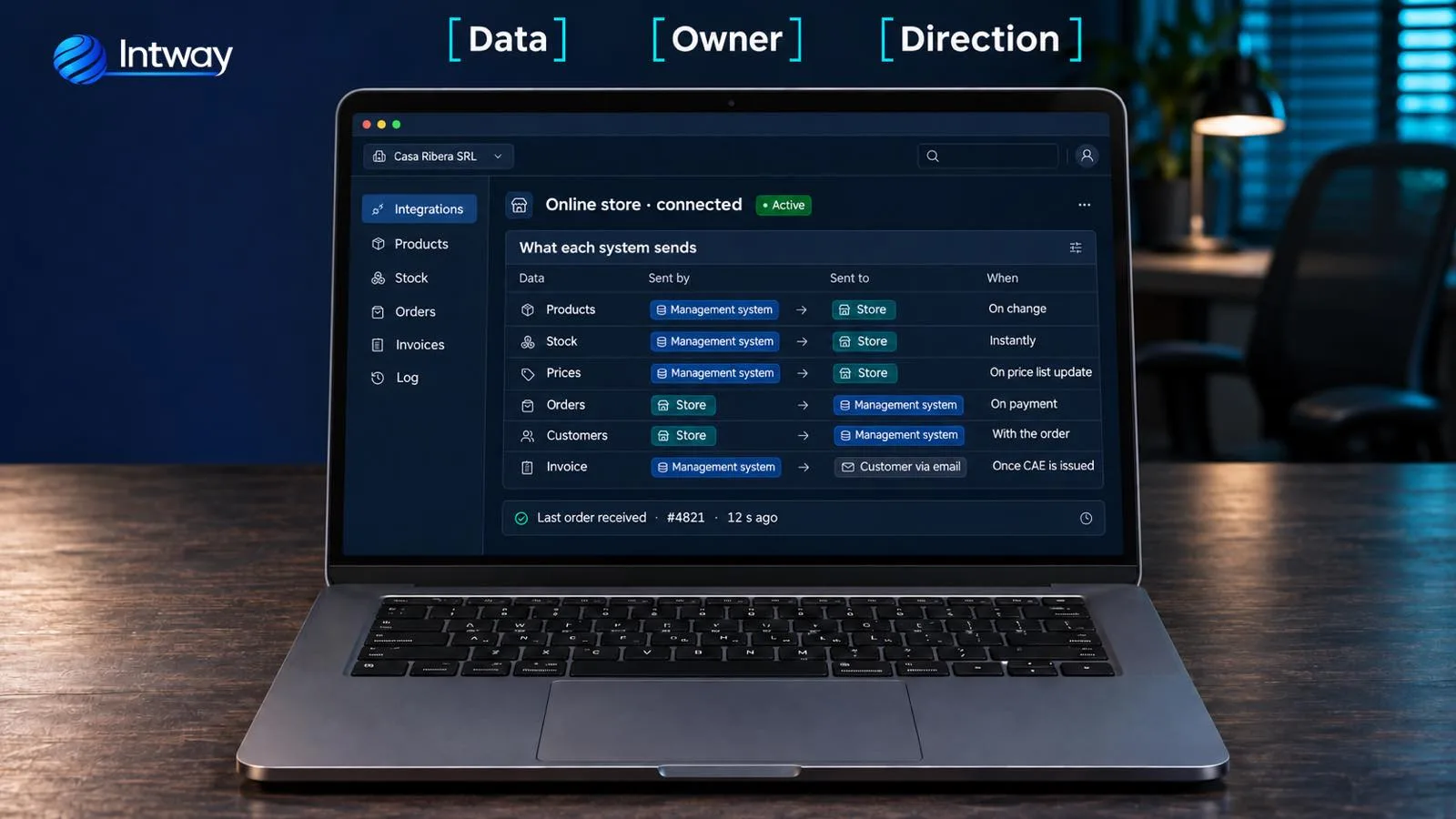
The rule that organises the whole integration is simple: each piece of data has a single owner. If stock can be changed both in the store and in the management system, sooner or later they don't match and nobody knows which is right. The usual setup for a small business with a shop, a warehouse or wholesale is this:
- Products, stock and prices: owned by the management system and sent to the store.
- Orders and new customers: owned by the store and sent into the management system.
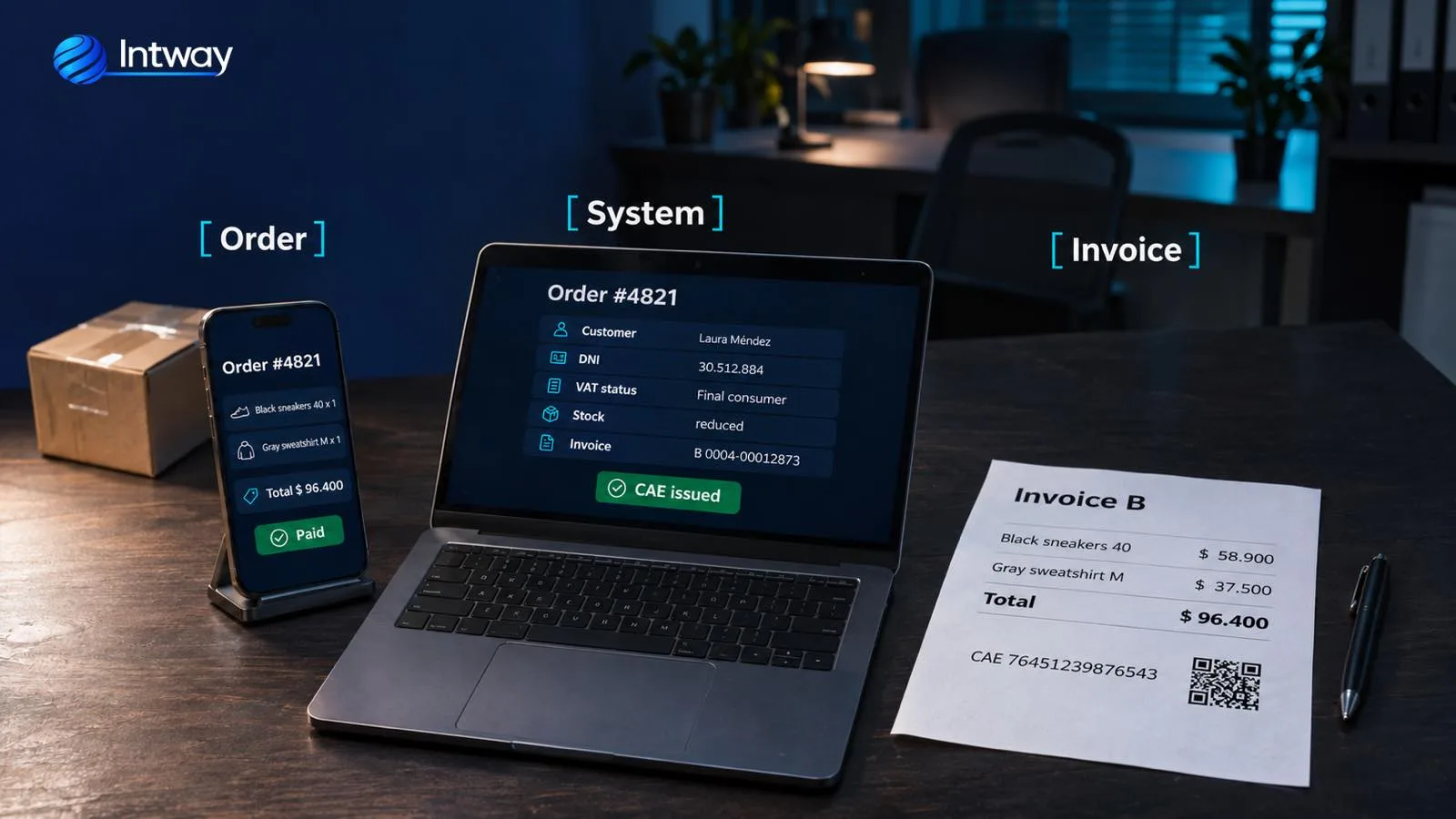
- Invoice: issued by the management system through ARCA and emailed to the customer.
For this, Tiendanube offers an official REST API and automatic notifications (webhooks) when something happens in the store: a new order, a paid order, a cancelled one, a product change. The integration is installed as a store app, with the owner's permission, and doesn't need to touch the design or the checkout.
Orders: in automatically, and only once
Whenever an order is created, paid or cancelled, Tiendanube notifies the integration instantly. The notification carries the order's internal ID, which is not the number the buyer sees: with that ID the integration fetches the full order from the API (products, customer, shipping, payment method) and records it in the management system. It pays to separate the moments: when created, the order reserves stock even if payment is pending; when paid, it is invoiced; if it is cancelled unpaid, the reservation is released. Three details from Tiendanube's documentation shape how it has to be built:
- It must respond within 3 seconds. So the notification is received, stored in a queue and processed afterwards. If it is processed on the spot and the management system is slow, Tiendanube treats it as failed.
- If it fails, it retries for 48 hours. Up to 16 attempts: that covers temporary outages. Whatever doesn't arrive within that window is recovered by the periodic check described below.
- A notification can arrive twice or out of order. Each order is recorded by its internal ID, together with the store's: if it already exists, it is updated instead of created again. That way there are no duplicate orders.
On top of the notifications, a periodic check that compares the store's orders with the system's and recovers any that slipped through is worth having. It is the backup that keeps whoever invoices at ease.
Stock: how to avoid selling what you don't have
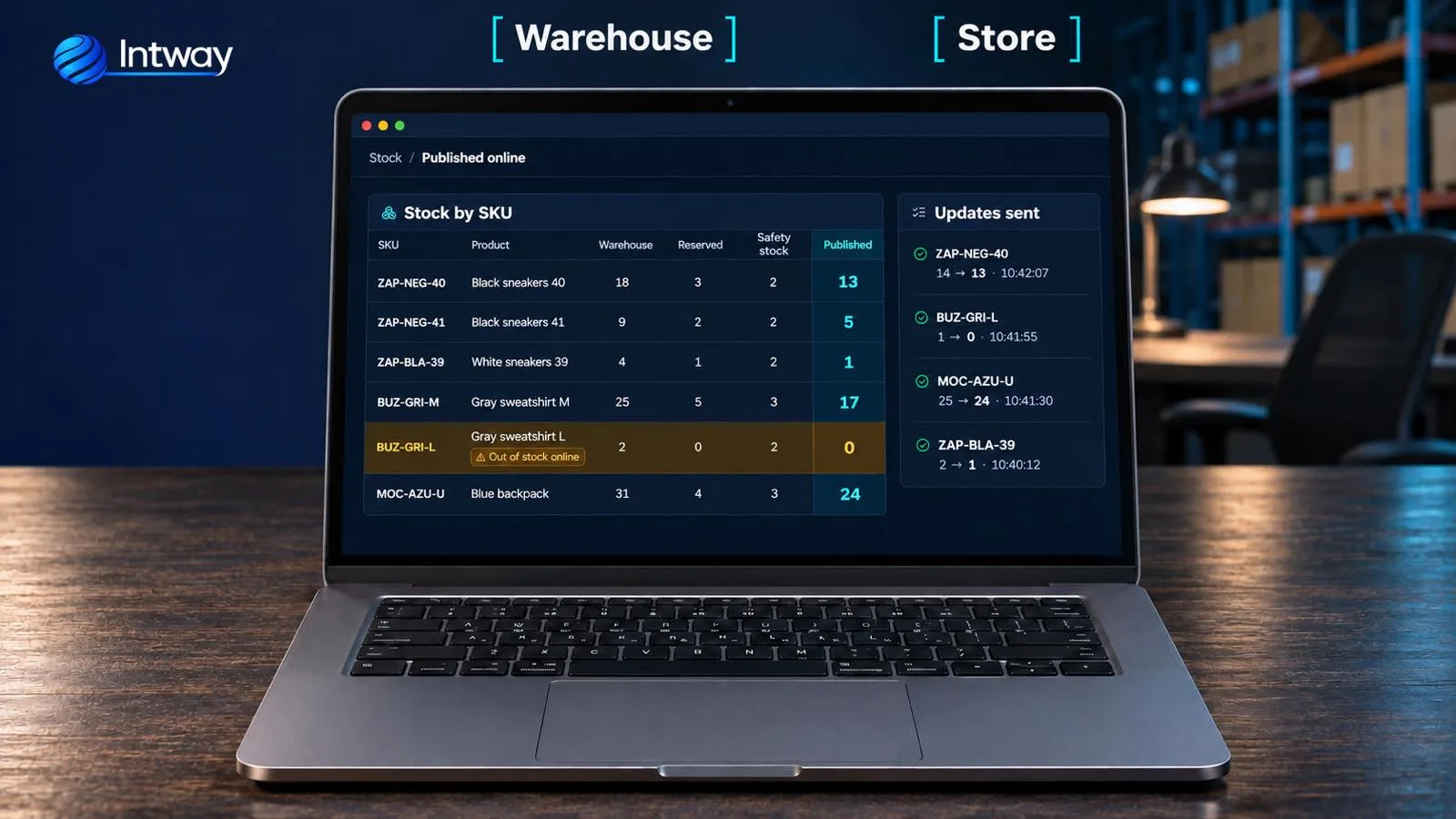
A very common cause of overselling: stock is synced once a day or through a spreadsheet, and in between items are sold in the shop, on another channel or wholesale. The fix is that every stock movement in the management system is sent to the store immediately, only for the product that changed.
- Every variant needs its match. The simplest is for each variant (size, colour) to have the same SKU in the store and in the system. If that isn't possible, a table maps each variant on one side to its counterpart on the other. Sorting it out is often the first job.
- Not all stock is published. The store gets what is available: warehouse stock, minus what is reserved for orders not yet delivered (including those awaiting payment), minus a safety margin for products sold in several places.
- Several warehouses: if the store uses more than one location, stock is published per location.
- Only what changed. Tiendanube's API generally accepts about 2 requests per second per store (ten times more on its top plans). Sending the whole catalogue every few minutes hits that limit right on the busiest days.
Prices and promotions
Prices also come from the management system, from a price list for the online store, which can differ from the shop's or the wholesale list. Two things to watch: the store shows final prices, taxes included, so the integration has to convert them if the system stores net prices; and rounding has to be the same on both sides, so the invoice matches exactly what the customer paid. Dated promotions are loaded in the system and the integration publishes the promotional price while they last.
ARCA invoice: from paid order to CAE
Once the paid order is in the system, the invoice is issued on its own: the system requests the CAE (the authorisation code) from ARCA, Argentina's tax agency, through its web service, stores the invoice and sends it to the customer. What needs deciding beforehand:
- When to invoice. For goods sold to final consumers, the invoice goes with the payment, full or partial, or with delivery, whichever comes first. In an online store that is usually when the payment clears, not when the order is created: an order awaiting a bank transfer may never be paid. If it is cancelled later, a credit note is issued.
- Which invoice type applies. It depends on both sides. A seller under the simplified regime (monotributo) issues type C invoices to every customer. A VAT-registered seller issues type B to a final consumer and type A to another VAT-registered company. Tiendanube's checkout collects the buyer's DNI or CUIT; with the CUIT, the VAT status is checked against ARCA's taxpayer registry.
- 1 December 2026. From that date ARCA rejects CAE requests that don't state the buyer's VAT status. If your integration invoices online sales, it has to send it. We explain it in Argentina e-invoicing 2026.
- One invoice per order. Each order stores whether it has been invoiced. If the connection to ARCA drops right when requesting the CAE, ARCA is asked whether the invoice was authorised before requesting it again: retrying blindly can duplicate the invoice.
A store app or a custom integration?
If your management system is a well-known one, there may already be an app in Tiendanube's app store that connects it. It is worth trying first: if it covers your cases, it may be the fastest option. Compare its monthly cost, the setup it needs and what it doesn't cover.
A custom integration makes sense when:
- Your management system is in-house or heavily customised.
- You have rules a generic app doesn't cover: bundles and kits that deduct several products, several warehouses, price lists per channel, wholesale buyers using the same store.
- You also sell on other channels, such as Mercado Libre, and stock has to be one for all of them.
- The order needs to keep going: picking in the warehouse, shipping, tracking for the customer.
If you are facing that decision, see custom software vs SaaS. And with several channels, what gets built is an integration layer in the middle, with queues and retries, so the store, the marketplaces and the management system don't depend on each other: the approach we describe in microservices.
Common mistakes
- Two owners for the same data. If stock is edited in the store and in the system, they overwrite each other.
- Syncing through a spreadsheet once a day. During a big sale, overselling shows up within hours.
- Processing the notification on the spot. If the system takes more than 3 seconds, Tiendanube treats it as failed and sends it again.
- Not handling duplicates. The same order comes in twice and is invoiced twice.
- Variants without a match. If nobody knows which store variant is which in the system, stock is deducted from the wrong product.
- «Final consumer» by default. It fills the field, but a company receives an invoice it can't use.
- Testing only in the busiest week. The integration is tested with a simulated order peak, beforehand.
Checklist before peak season
- Check that every variant has its SKU, the same in the store and in the system or mapped in a table.
- Decide who owns each piece of data: products, stock, prices, orders, customers.
- Set the stock safety margin for items sold on more than one channel.
- Decide when to invoice and what happens with cancellations.
- Test invoicing in ARCA's testing environment, with the buyer's VAT status.
- Simulate a heavy sales day and check that no orders are lost or duplicated.
How Intway can help
We build custom e-commerce and marketplace integrations: we connect Tiendanube and Mercado Libre with your management system, your ERP and e-invoicing, with real-time notifications, queues and retries, and a log of every order. If you don't have a system that invoices yet, we have an invoicing, stock and CRM system with e-invoicing, and if you want your own store instead of a template, a custom online store. And if you also want your wholesale customers to see their orders and invoices, a self-service portal can be added on the same data.