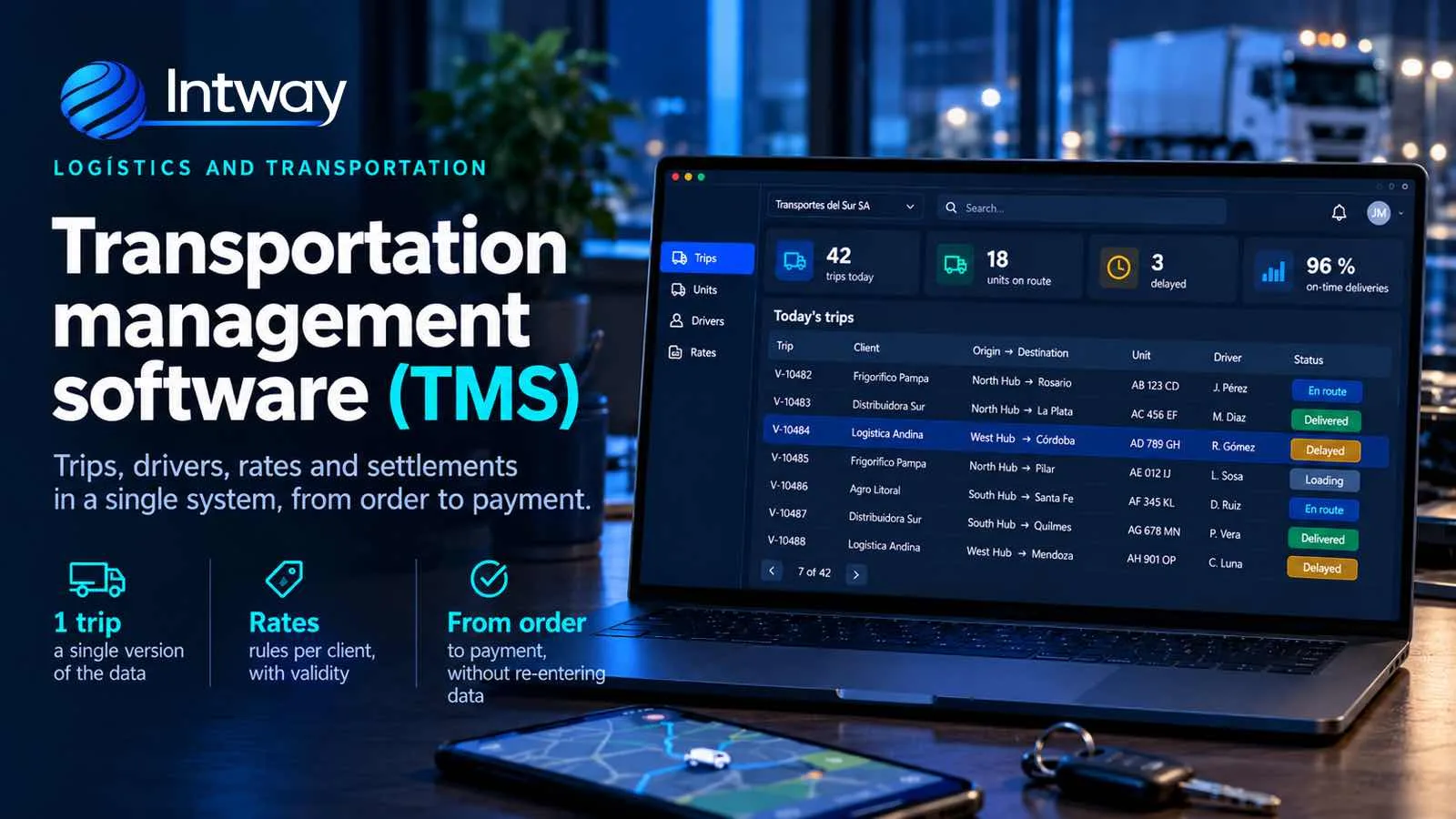
Many transport and distribution companies run their operation with a trip spreadsheet, a WhatsApp group with the drivers and the management system for invoicing. It works while the fleet is small. As trips, customers and rates grow, the problems show up: trips that never get invoiced, tolls nobody entered, drivers paid on data that differs from the customer's. That is what transportation management software, known as a TMS, is for. This guide explains what it does, how it differs from other systems and when a custom one makes sense.
What a TMS is
A TMS (Transportation Management System) is the system that organises trips end to end: from the moment the customer's order comes in until the trip is collected and the driver gets paid. Its job is to give each trip a single version of the data —who drove it, with which vehicle, how many kilometres, what costs— and to make that version work for operations, invoicing and driver pay.
What transportation management software does
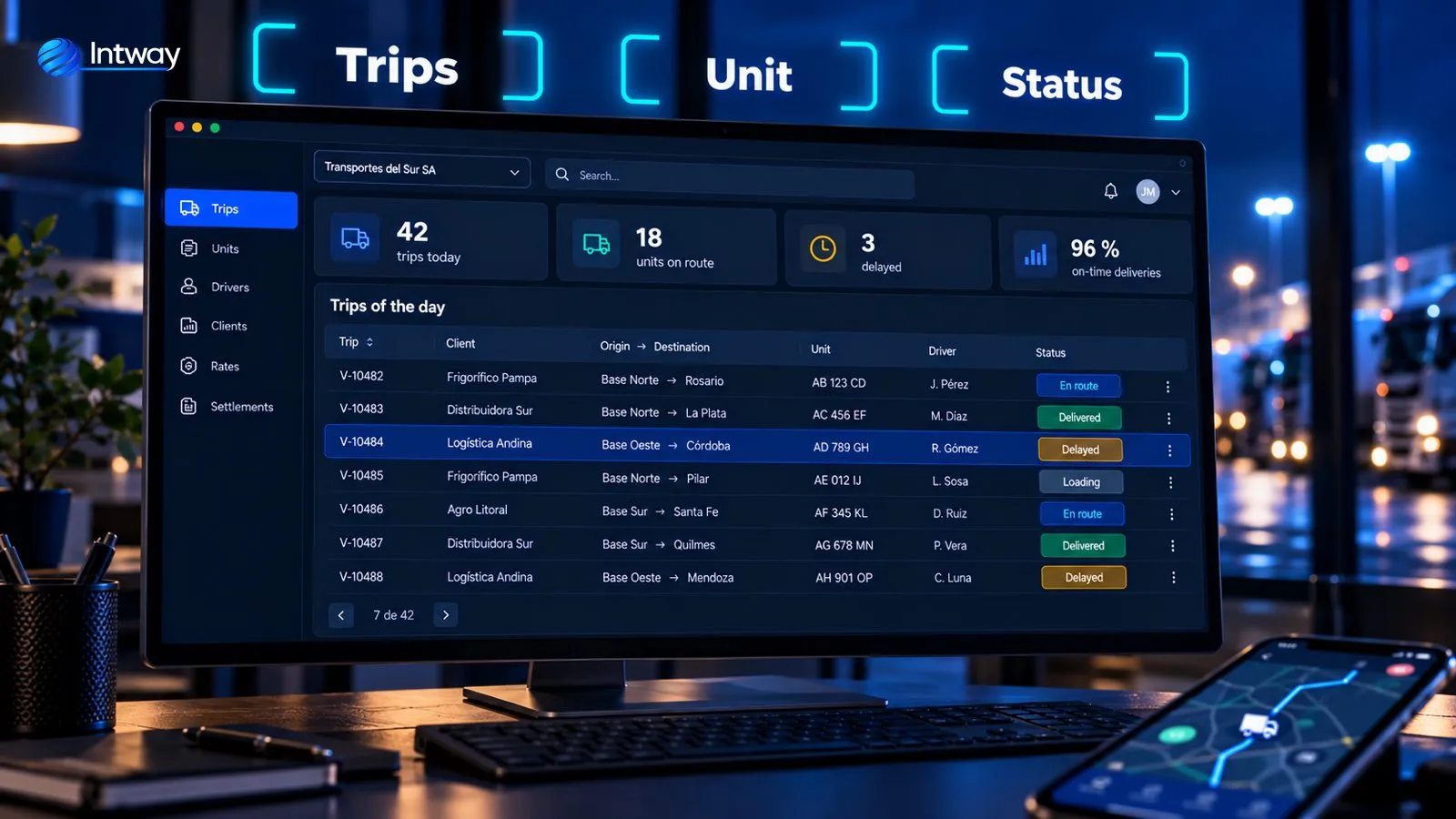
- Trip orders: the customer's order becomes a trip with origin, destination, load, schedule and requirements.
- Assignment: which vehicle and which driver (and helper, if any) take each trip, checking availability, document expiry dates and permits.
- Routing: the order of stops and the route, especially in delivery runs with several drops.
- Tracking: where each vehicle is and what status each trip is in, with delay alerts.
- Proof of delivery: signed delivery note, photo and delivery time from the driver's phone.
- Costs and rates: what the customer is charged and what the trip costs, with kilometres, tolls and waiting time.
- Driver pay and invoicing: what is paid to the driver or haulier and what is invoiced to the customer, without re-entering anything.
TMS, WMS, ERP and GPS: how they differ
They are often confused, and it helps to be clear before choosing:
- TMS: organises transport, that is, the trips, vehicles, drivers and the cost of moving the load.
- WMS: organises the warehouse: locations, receiving, order picking and stock.
- ERP or management system: handles accounting, invoicing, purchasing and the rest of the company.
- GPS or satellite tracking: tells you where the truck is, but doesn't know which trip it is on or how much to charge whom.
A TMS doesn't replace the others: it connects to them. It takes the position from the GPS, the orders from the ERP or the e-commerce store, and sends back to the ERP what needs to be invoiced.
From trip to payment: the full journey
The most valuable thing a TMS delivers isn't any particular screen, but data that flows without breaks. The trip is planned once; the driver confirms delivery from the app with the signed delivery note; and that same trip, with its kilometres, tolls and waiting time, goes into the customer's invoice and the driver's pay.
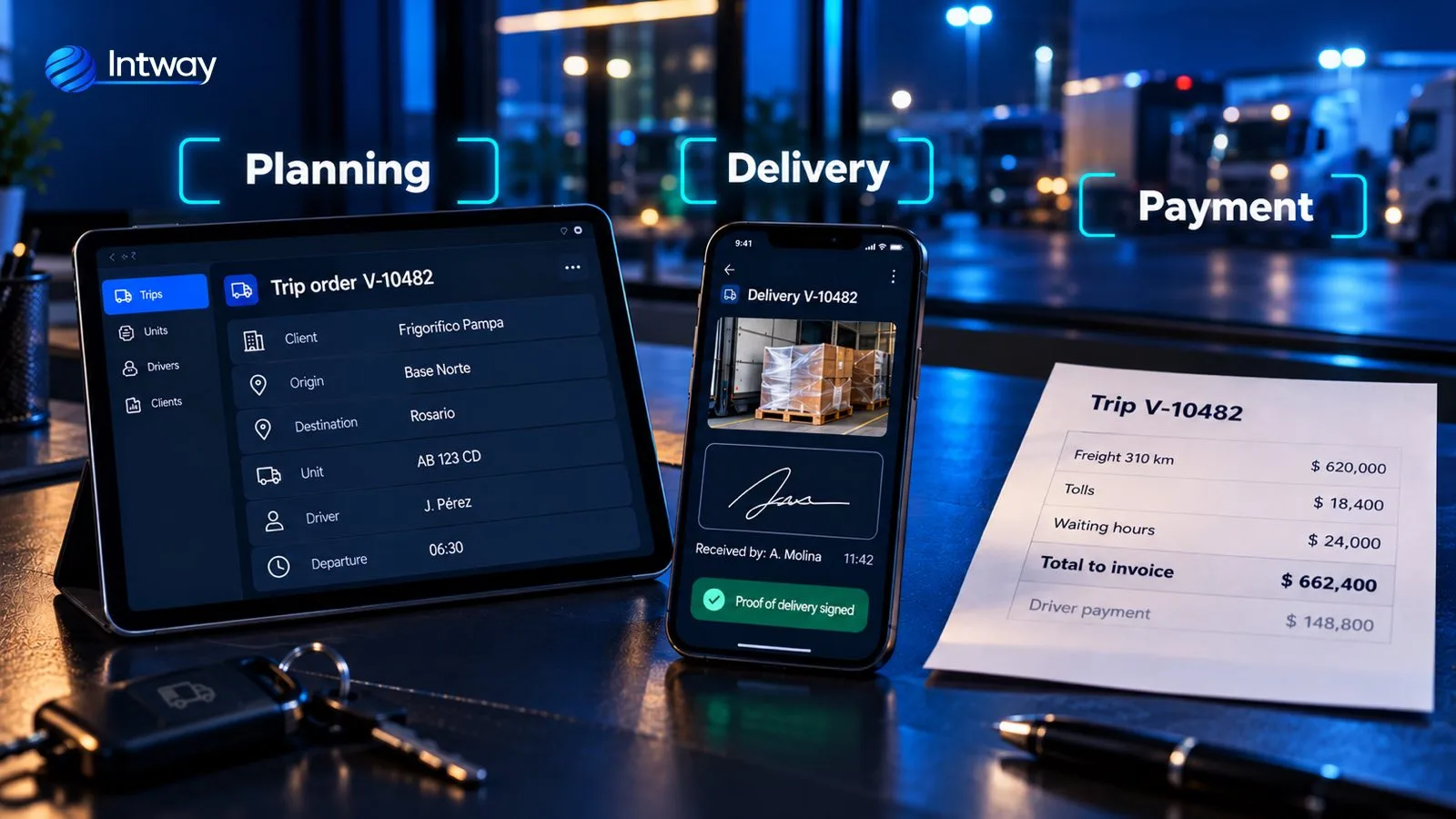
Two details make the difference in practice. First, the driver app has to work even with no signal on the road or at the customer's warehouse: we explain how in apps that work with no signal. Second, customers should be able to see the status of their shipment without calling, through a self-service portal connected to the same system.
Rates: where off-the-shelf systems fall short
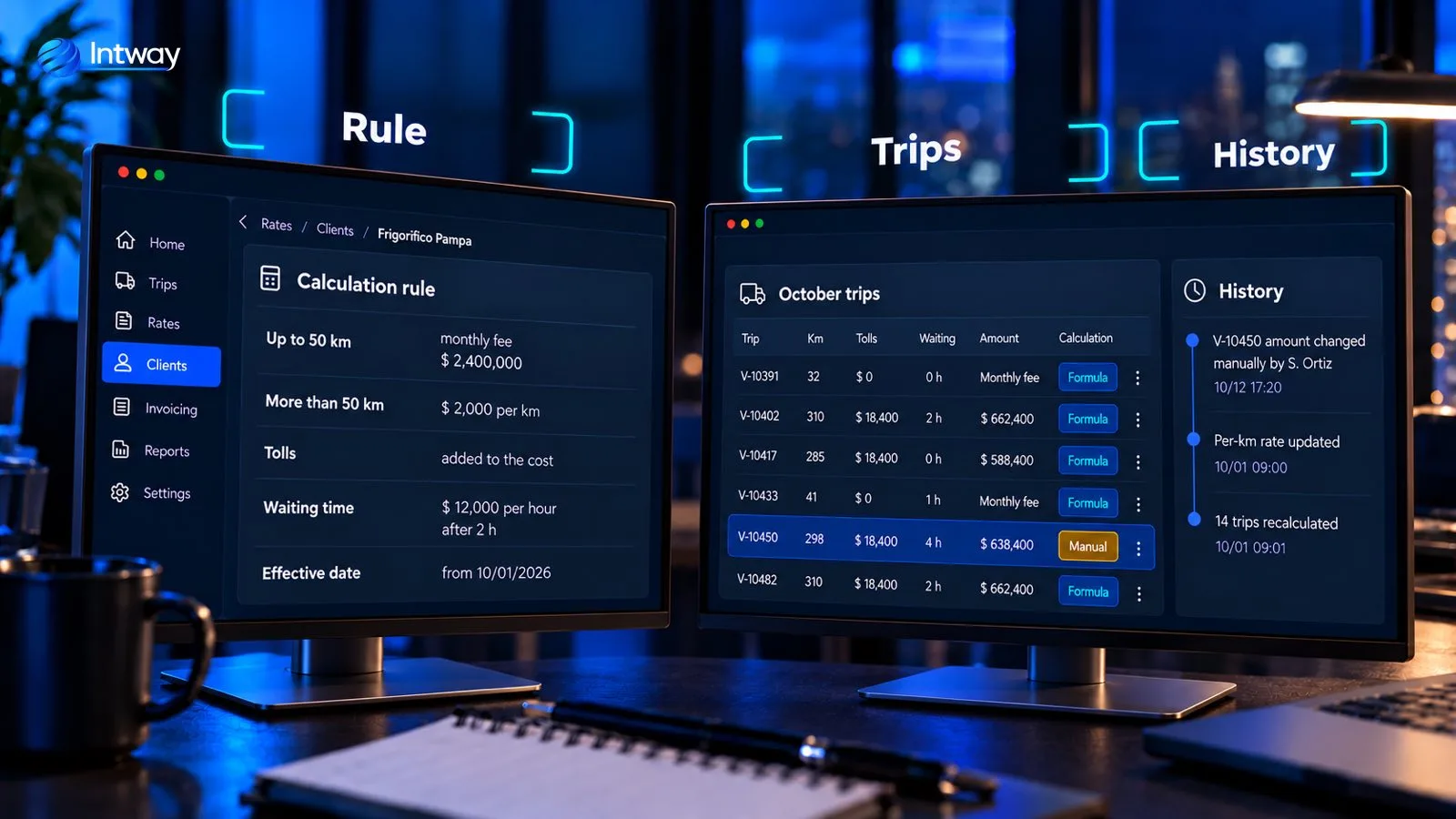
In transport there is almost never a single rate. One customer pays a monthly fee for short trips and per kilometre for long ones; another pays per package; tolls are added on and waiting time is charged after a certain point. And what the driver is paid follows different rules from the customer's.
That is exactly what we saw in the case of a company with 18 trucks and more than 3,200 trips a month: the traffic spreadsheet had formulas that decided what each trip was worth, with different amounts for driver and helper. The solution was a system that keeps the spreadsheet's way of entering data, but with per-customer rules with effective dates, automatic recalculation when a rate changes, flagged manual exceptions and a history of every change.
Off-the-shelf or custom?
An off-the-shelf TMS makes sense if your operation looks like everyone else's: standard delivery, simple rates and few systems to connect to. It is quick to roll out and you pay per use.
A custom one makes sense when:
- Your rates and driver pay have their own rules that today live in Excel formulas.
- You need to connect it to several systems: your ERP, a WMS, a customer's e-commerce store, satellite tracking.
- The way you operate is part of what sets you apart and you don't want to bend it to a generic product.
- You want to own your data and grow without paying more licences for every user or vehicle.
If you are facing that decision, see custom software vs SaaS. And it isn't all or nothing: often the only custom part is the rate and driver-pay engine, connected to the system you already have.
Where to start
The usual path is to start with what loses the most money: almost always, trips that aren't invoiced correctly or driver pay that gets disputed. A first stage takes the current spreadsheet, turns it into rules and logs everything. Then the driver app, tracking and integrations are added.
Common mistakes
- Starting with the map. Seeing trucks on screen is impressive, but the problem is usually in invoicing and driver pay.
- Not mapping the exceptions. The odd rate rules are the ones that break everything later.
- A hard app for the driver. If confirming a delivery takes more than three taps, it won't be used.
- Rates without effective dates. A price increase can't change last month's trips.
- Leaving the system isolated. If trips have to be copied into the ERP by hand, the errors are back.
Checklist before you start
- Gather the spreadsheets that traffic, accounting and driver pay use today.
- Write down how a trip's amount is calculated for your three main customers.
- List the systems it has to talk to: ERP, GPS, WMS, e-commerce.
- Define what the driver has to be able to do from the phone.
- Pick the first stage and how you'll measure the result.
How Intway can help
We build custom software for logistics and transportation: trip management systems, rate and driver-pay engines, driver apps and integrations with your ERP and with e-commerce and marketplaces, in stages. See the case of the traffic spreadsheet turned into a system.